Once a service provider has been activated for Live Task Cards/Contractor Communication, you can communicate with them directly via WhatsApp. The service provider will receive a link to the Live Task Card, which they can click to access the relevant ticket details.
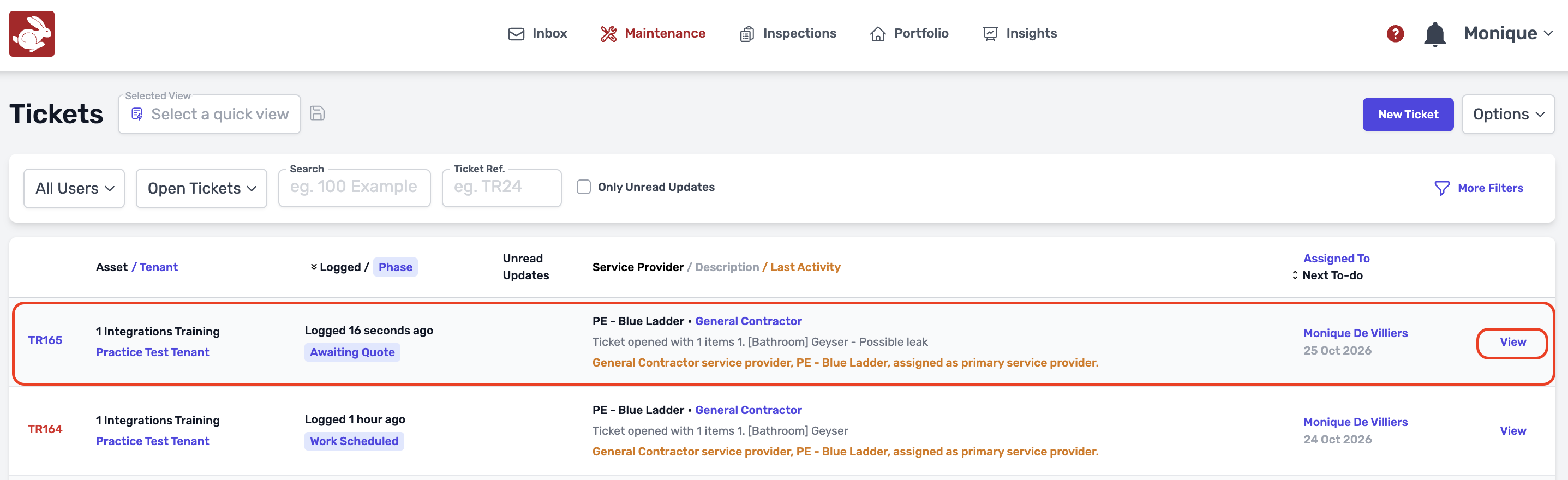
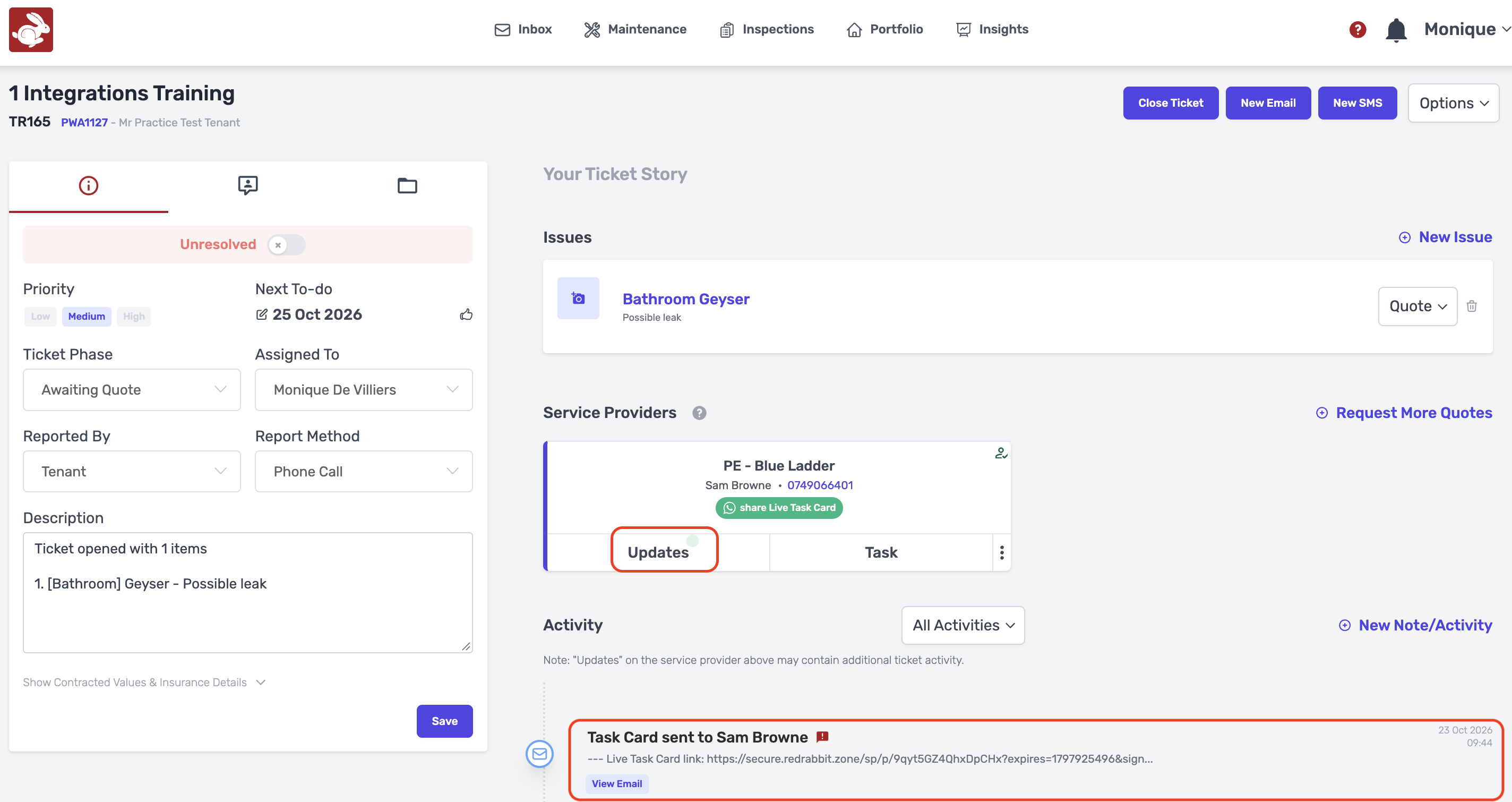
- Go to the relevant Maintenance Ticket, Click on "View".
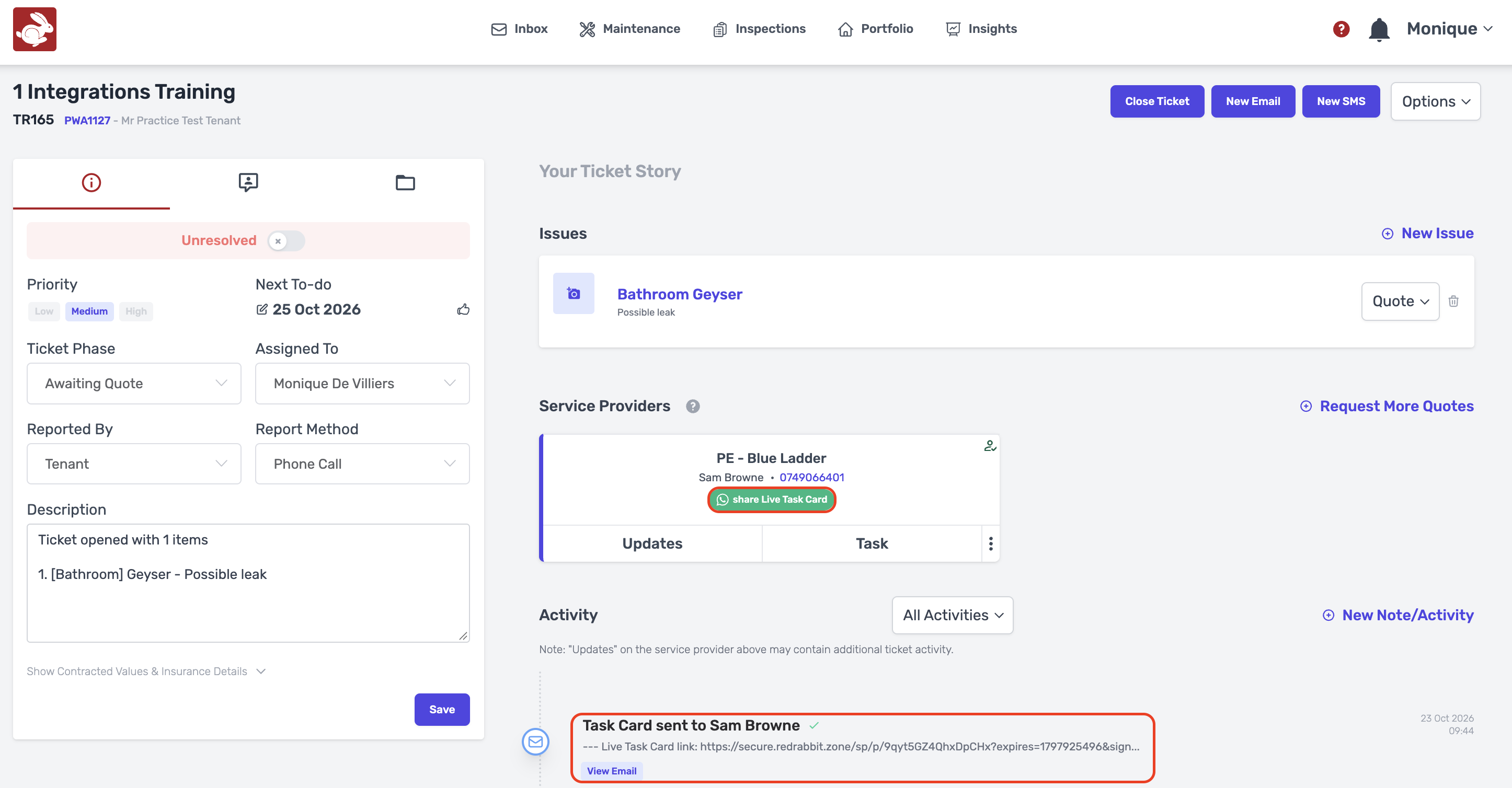
- Click on "Share Live Task Card".
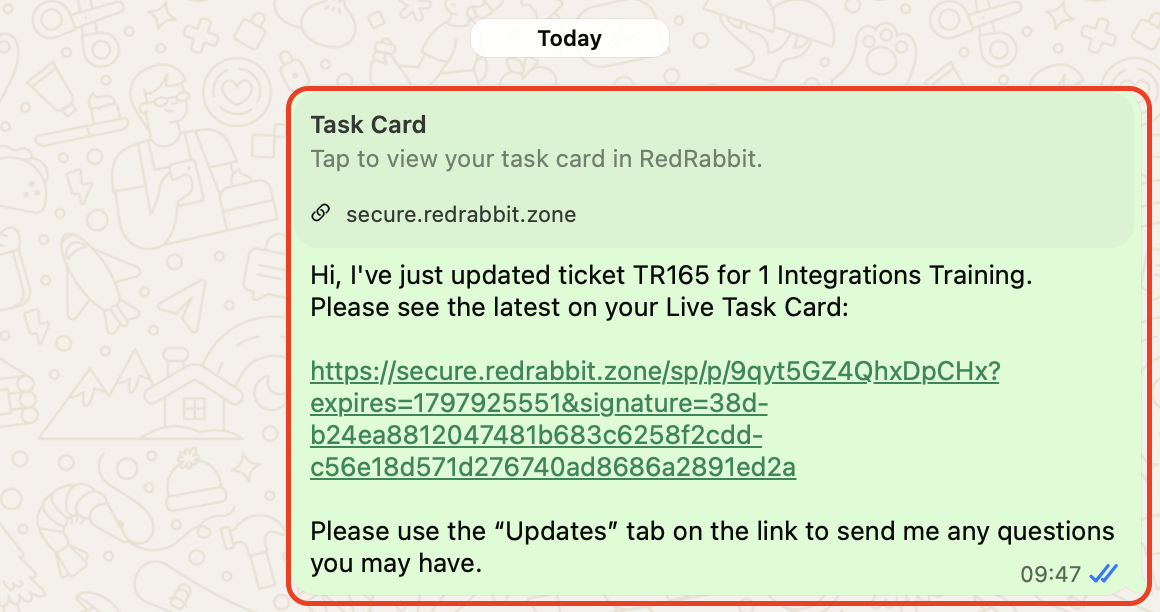
- Whatsapp will open and from there you will be table to share the Live Task Card link with the service provider.
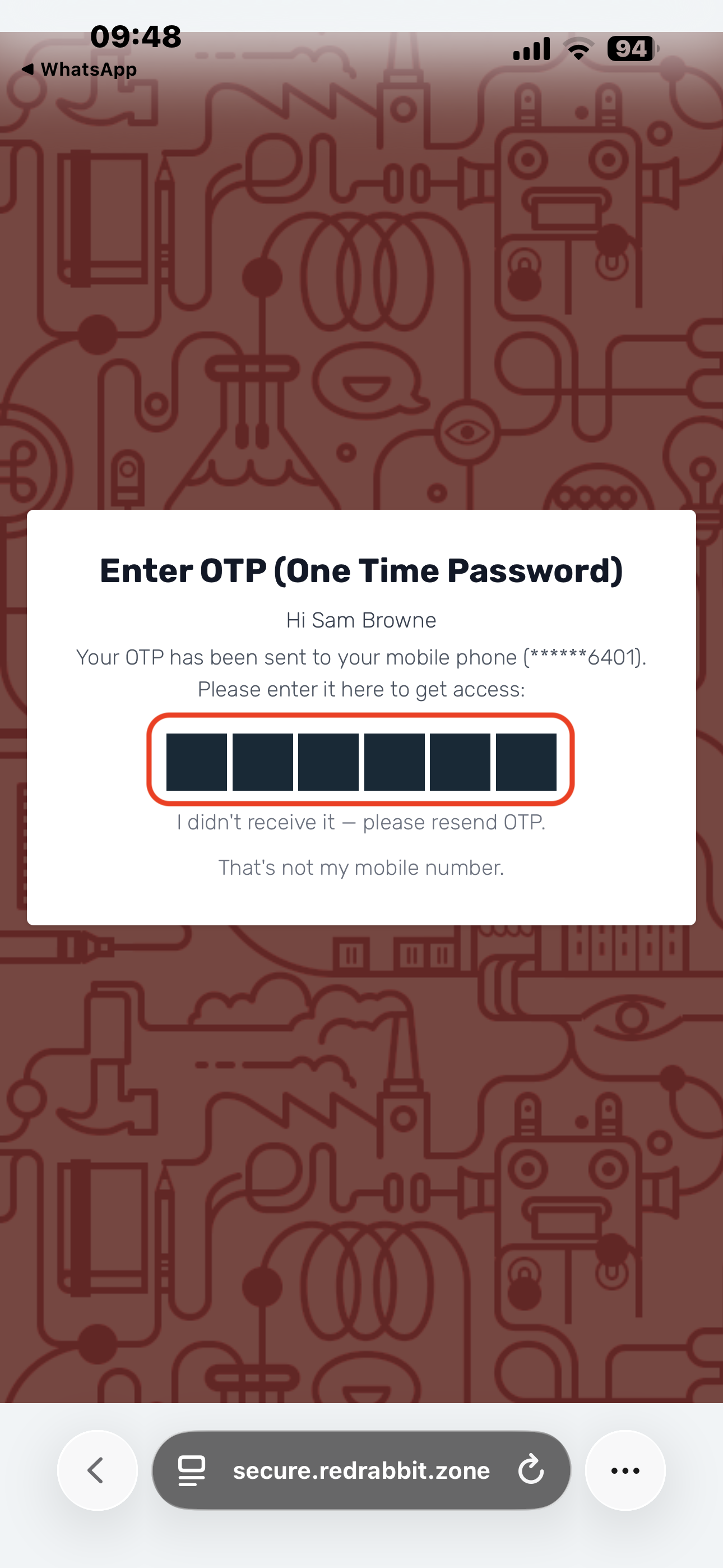
- Once the Link is Clicked by the service provider they will receive a 6- digit code via SMS that will enable them to access the ticket.
- The service provider will get updates here.
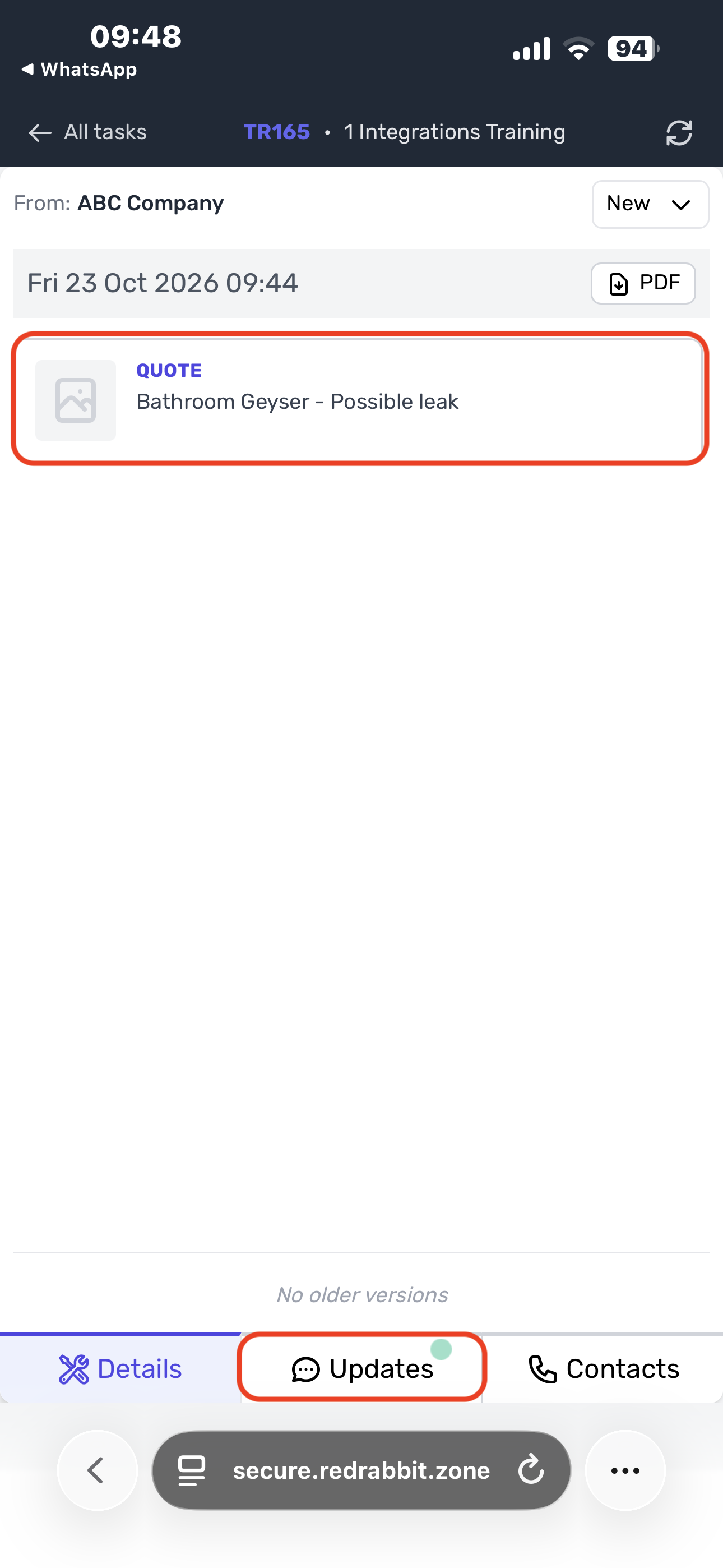
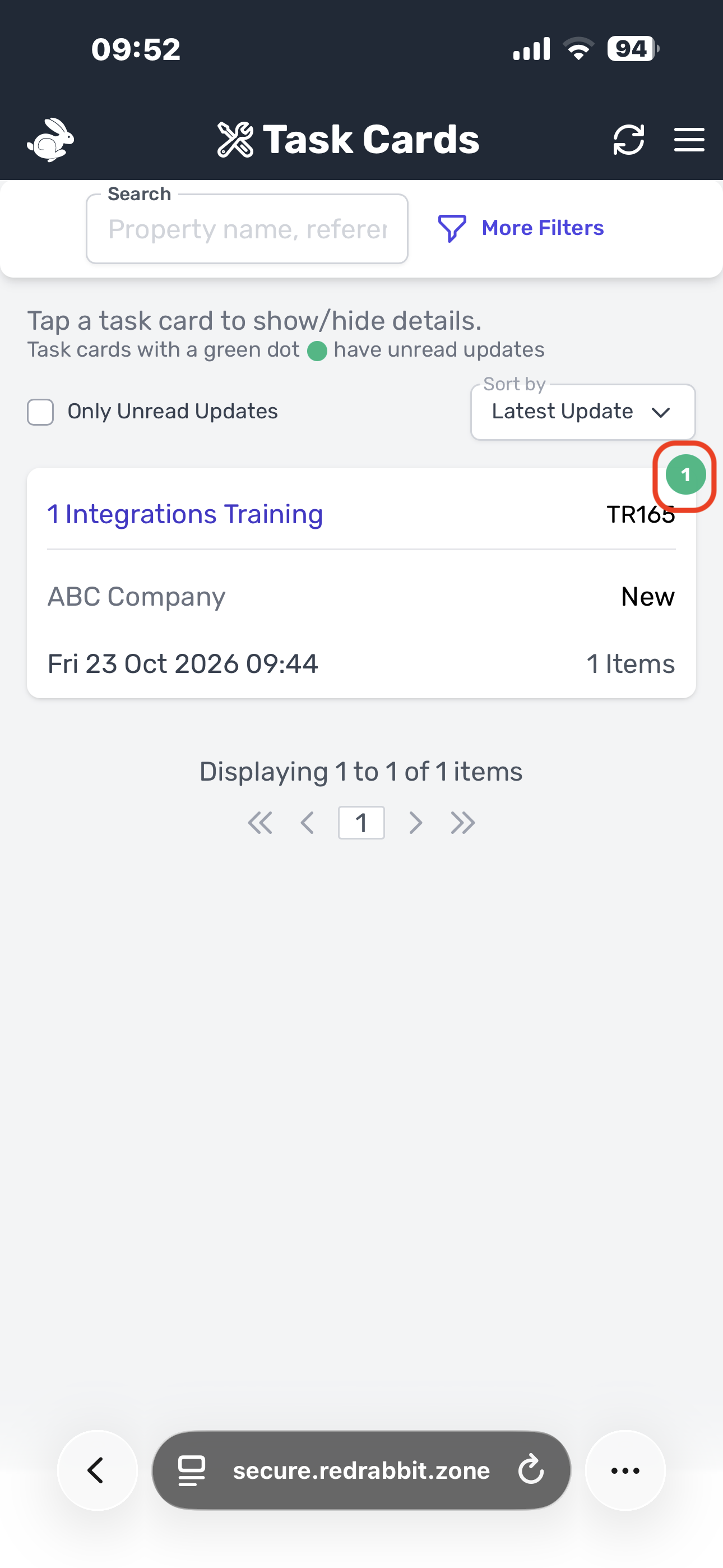
- Once the service provider opens the ticket, all the relevant information regarding the ticket will display, aswell as a feature where they can communicate with you on a chat.
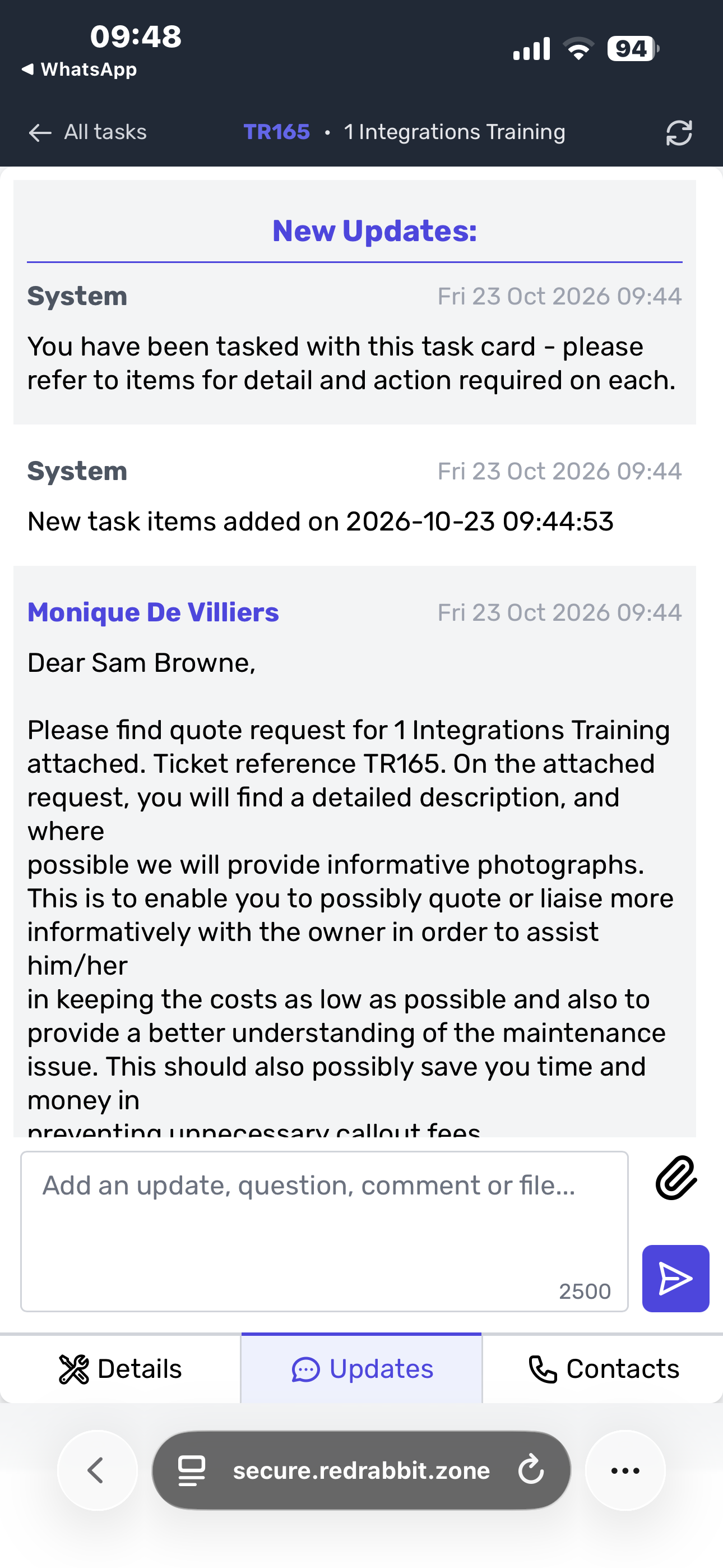
- Once the service provider replied to your ticket, there will be a flashing number "1" appearing under unread updates. To view the update, you can simply click on the number "1".
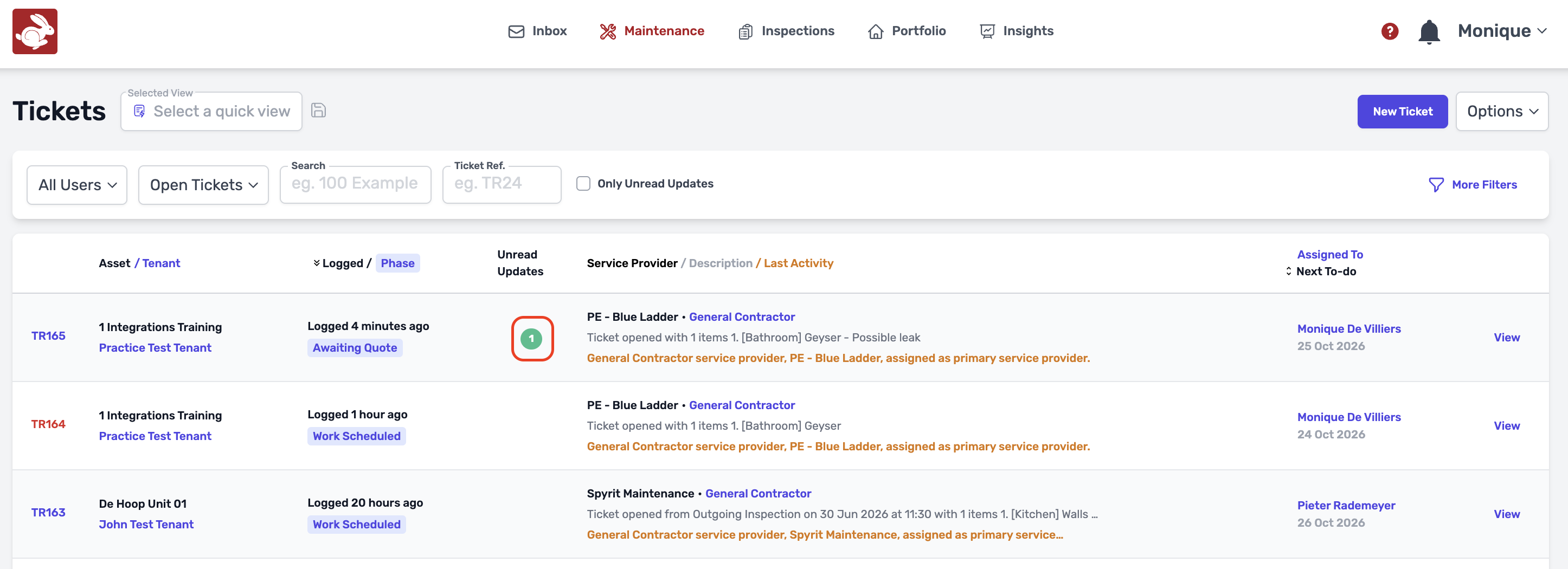
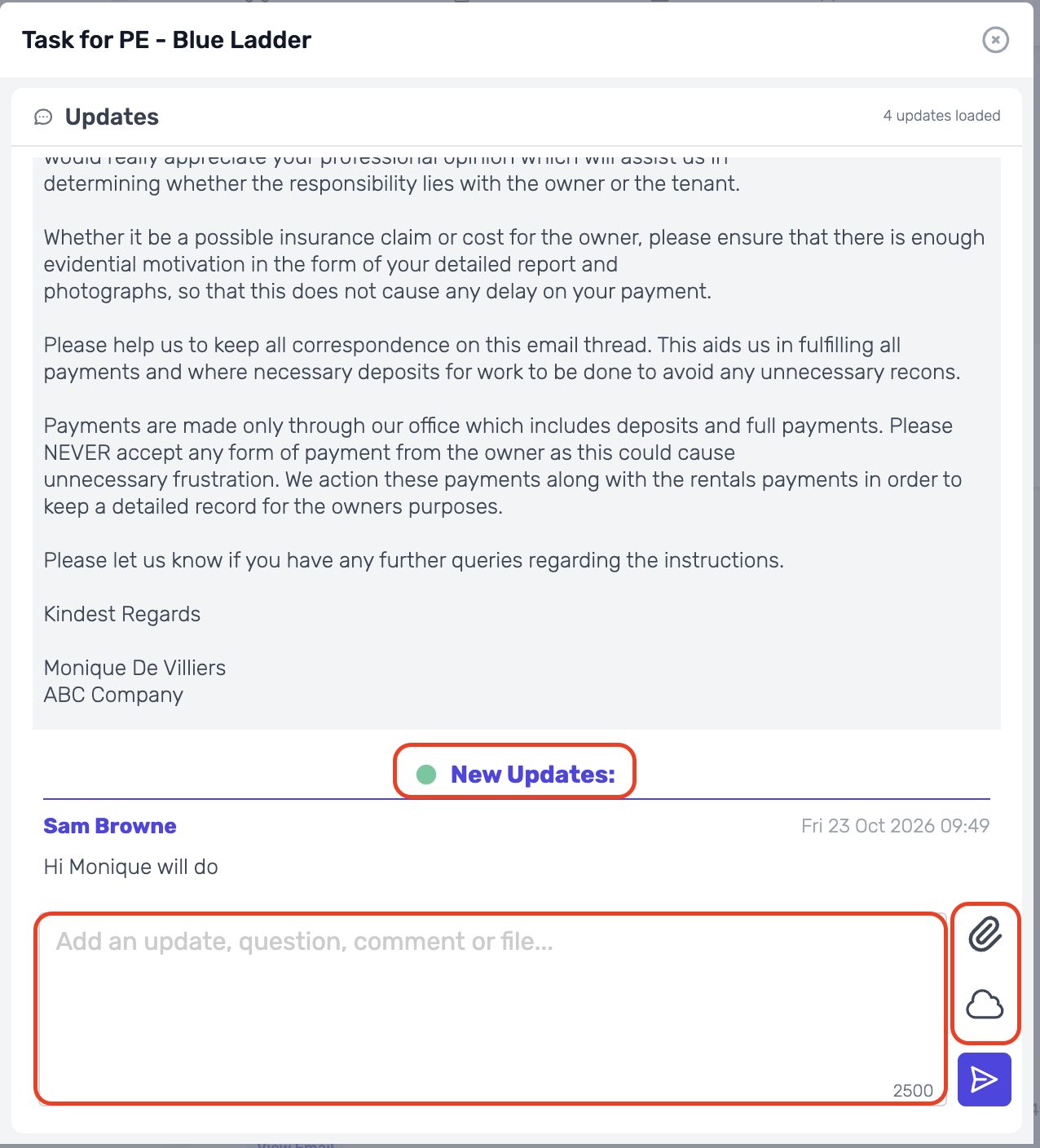
- Updates will flash and you can click on it.
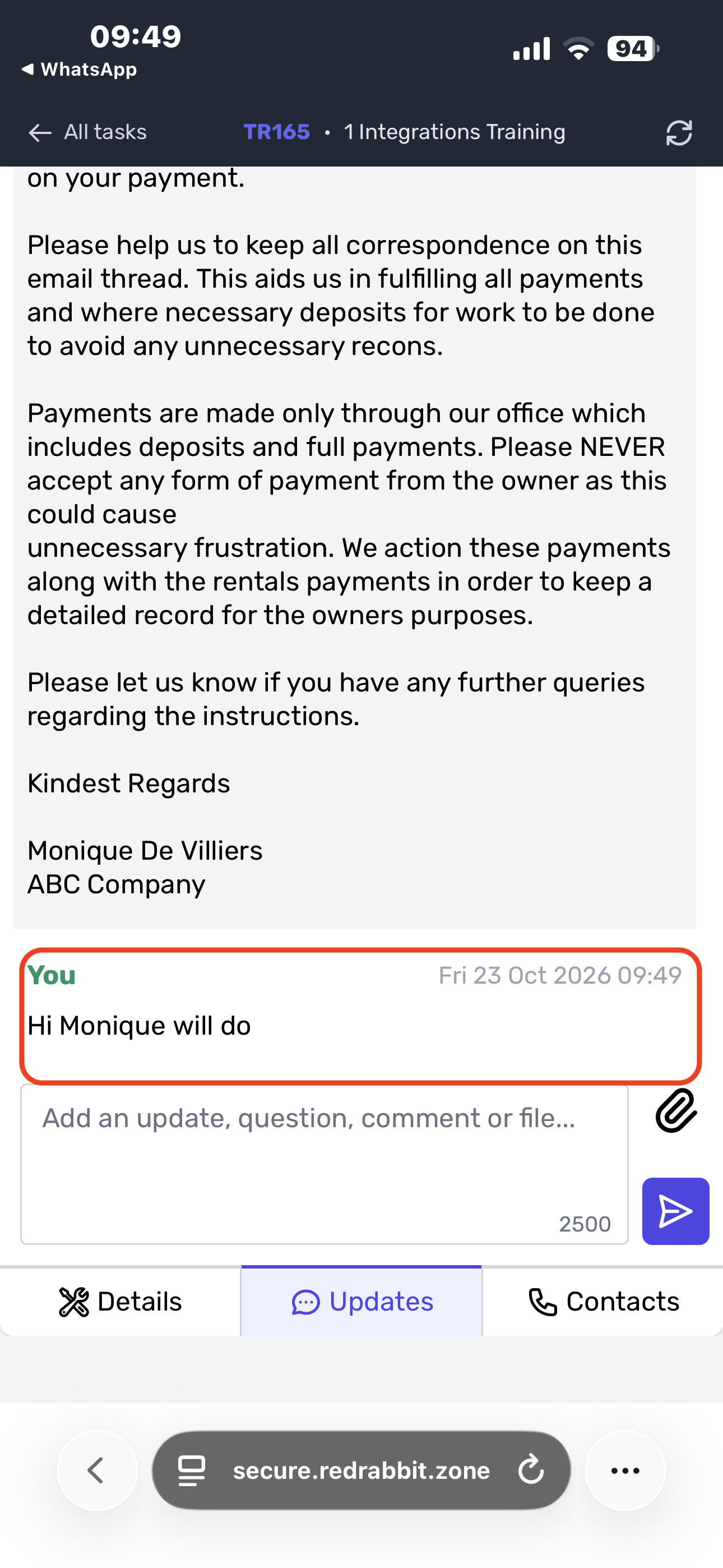
- The chat will pop up between you and the service provider, you will be able to see what they have responded to you, and you can respond back to them using the chat function.
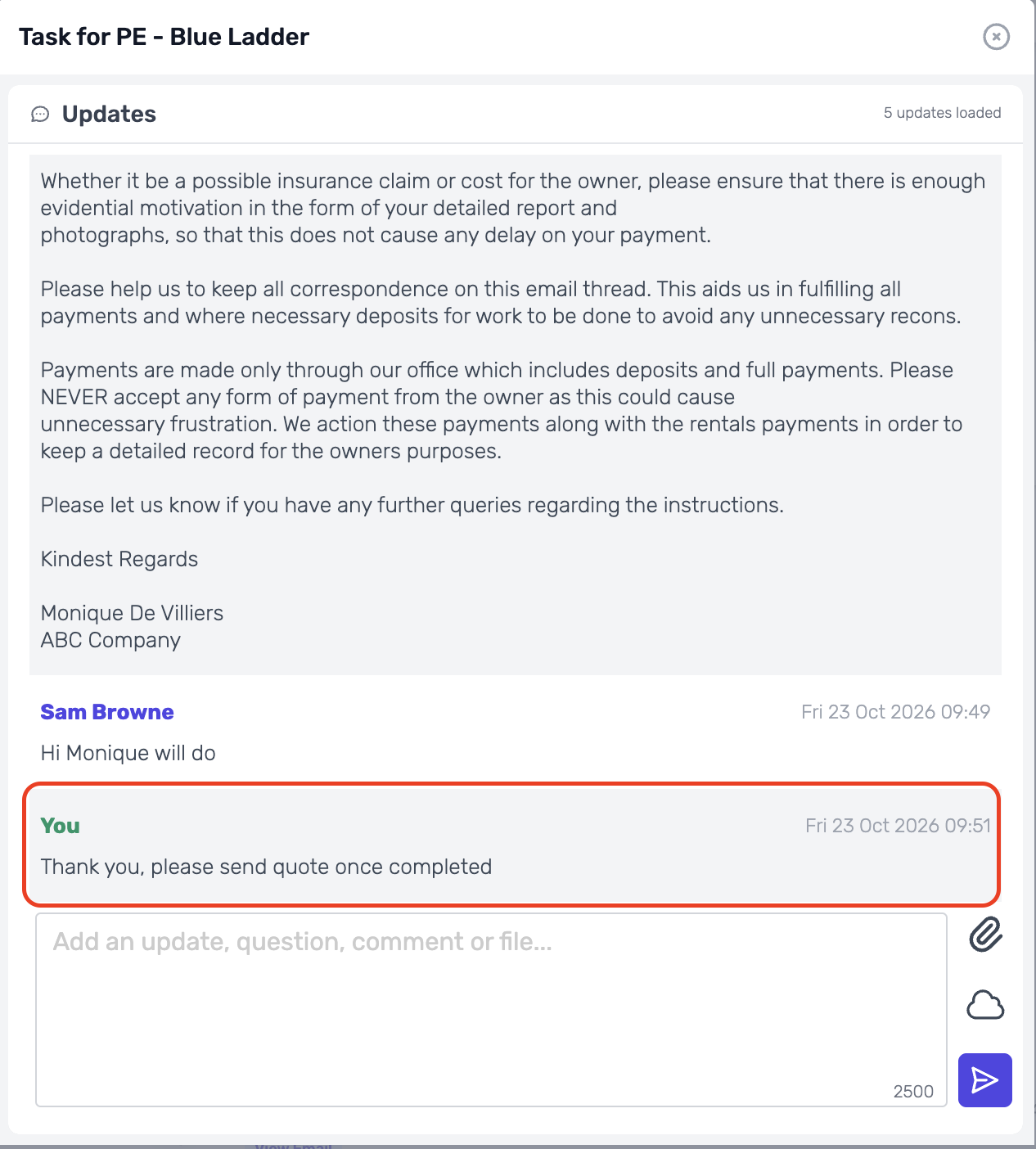
- Once you replied, this is what the service provider will see on their end.
Was this article helpful?
That’s Great!
Thank you for your feedback
Sorry! We couldn't be helpful
Thank you for your feedback
Feedback sent
We appreciate your effort and will try to fix the article