An asset note is used to record any important information or details you wish to retain about a specific asset. This may include general information relevant to the asset for future reference.
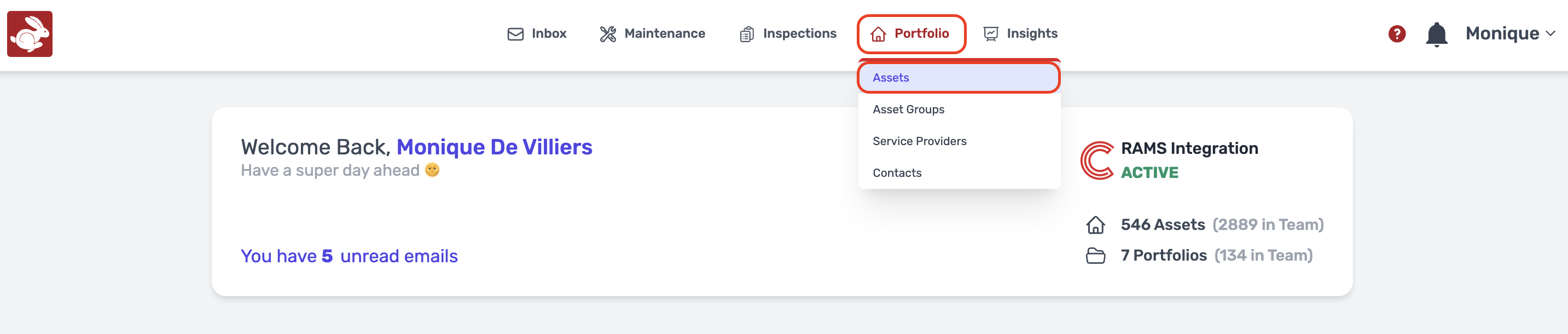
Navigation: Portfolio > Assets
- Click on Portfolio, Assets
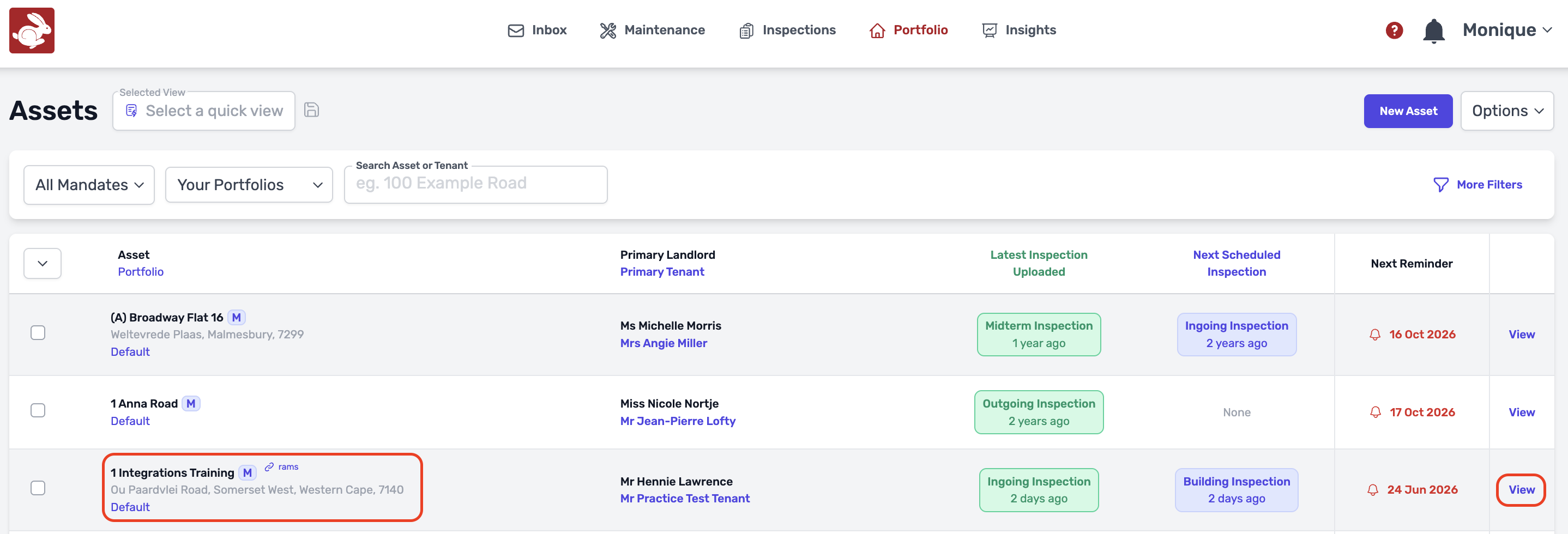
- Choose the relevant asset you want to add a asset note to, Click on View
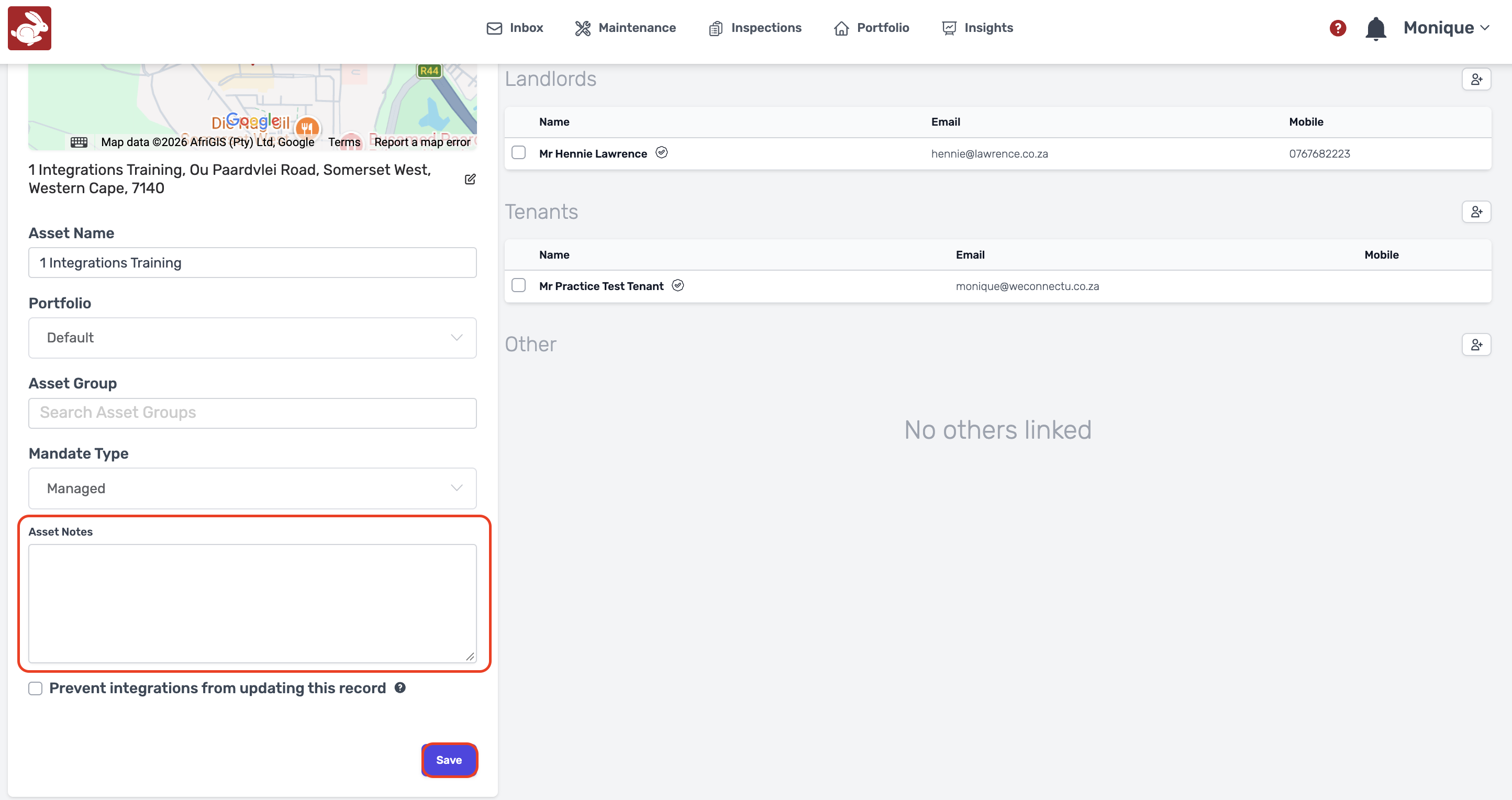
- Scroll down to Asset Notes once in the asset, type in the information and Click on Save
Was this article helpful?
That’s Great!
Thank you for your feedback
Sorry! We couldn't be helpful
Thank you for your feedback
Feedback sent
We appreciate your effort and will try to fix the article