RedRabbit are Integrated with our Rental Asset Management Solution (RAMS) which enables you to send billing requests and bill landlords and tenants (recover from tenants) when there is maintenance required on the property.
For this process you need to be logged into RedRabbit aswell as into your Rental Asset Management Solution, NOTE: that not all users will have the ability to "Approve" or "Reject" billing requests on RAMS as the permissions will be setup by the Account Owner.
Navigation: Maintenance > Ticket "View" > Options > Billing Requests
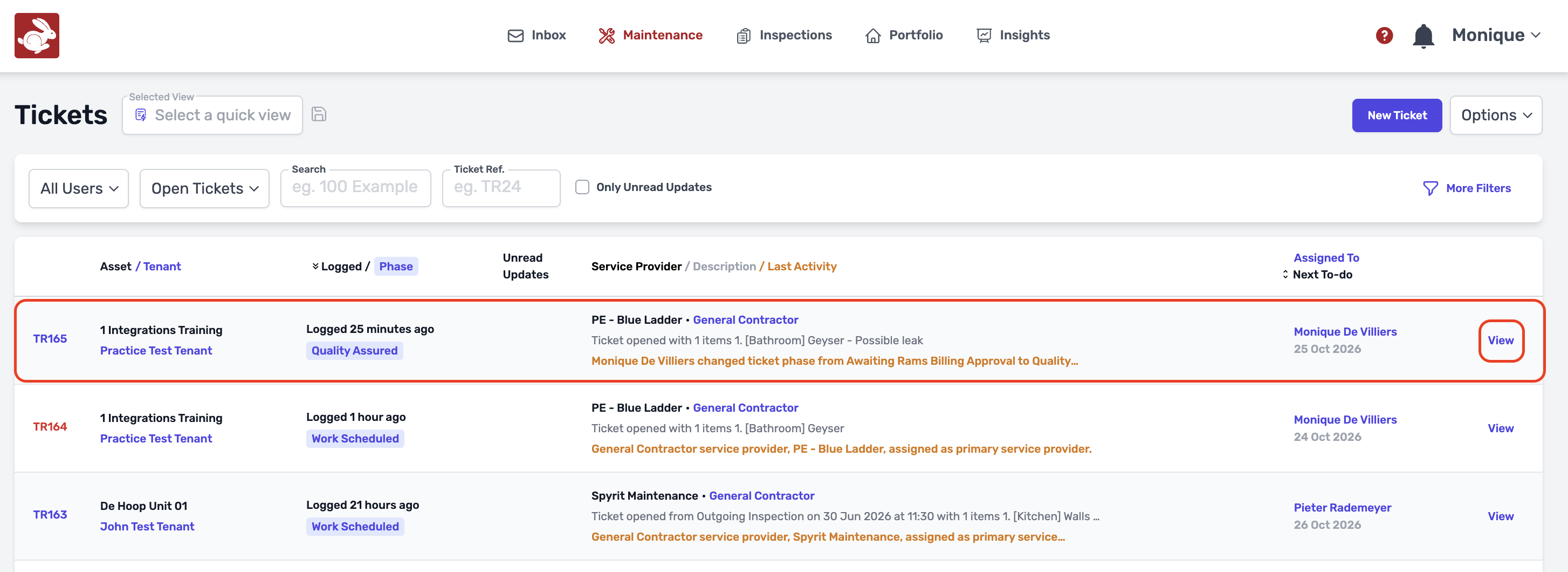
- Click on Maintenance and it will take you to your tickets. Click on "View" to open the Ticket that you want to send a billing request for.
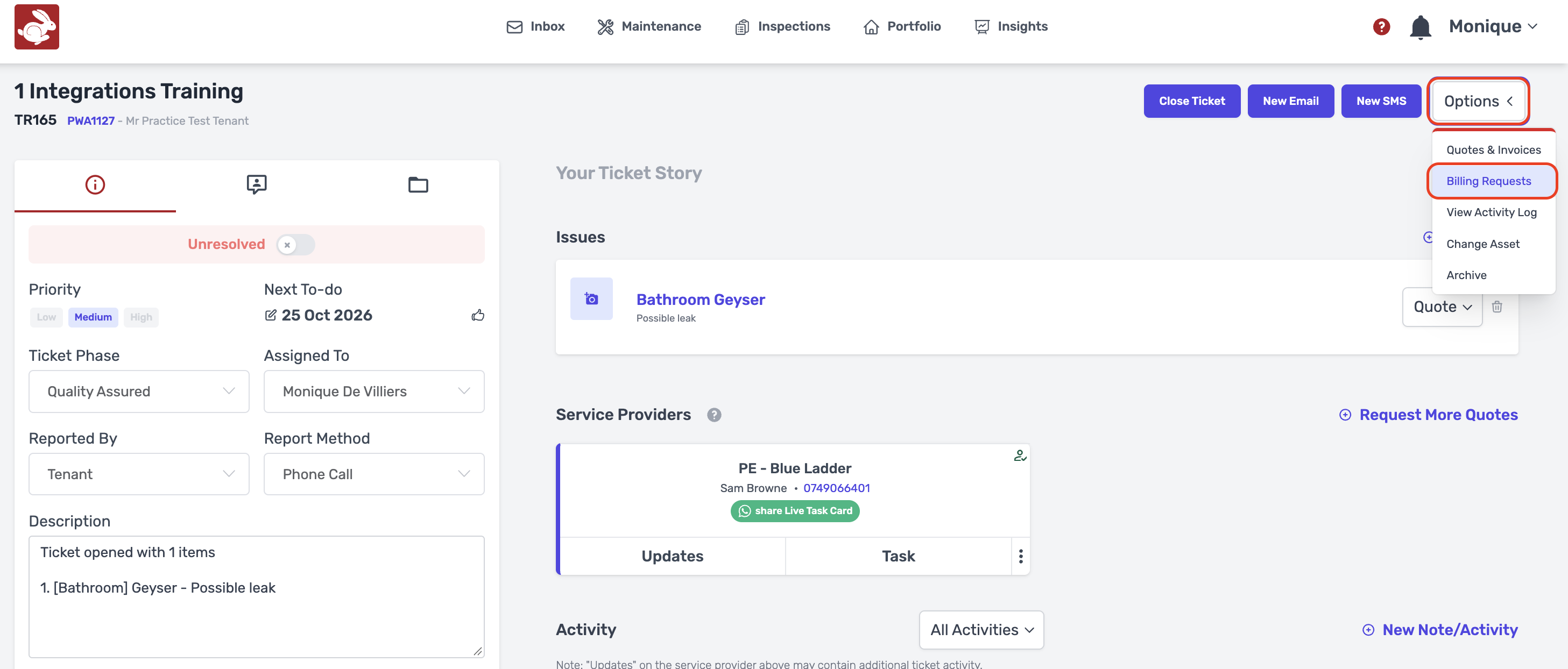
- Click on Options, Billing Requests.
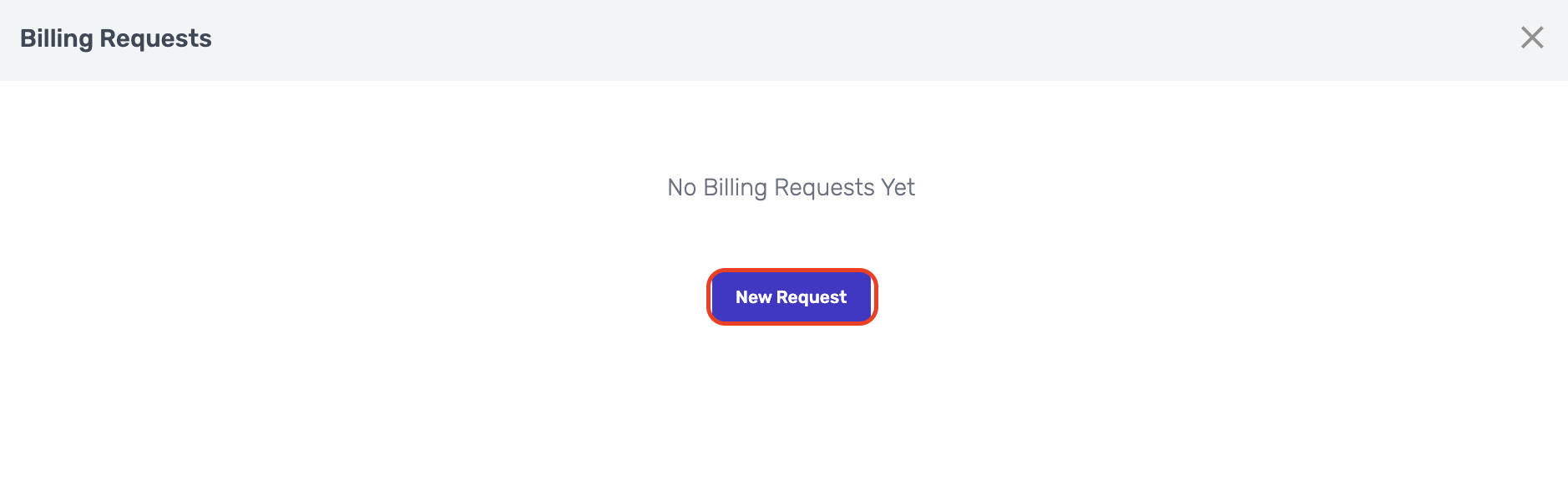
- Click on "New Request".
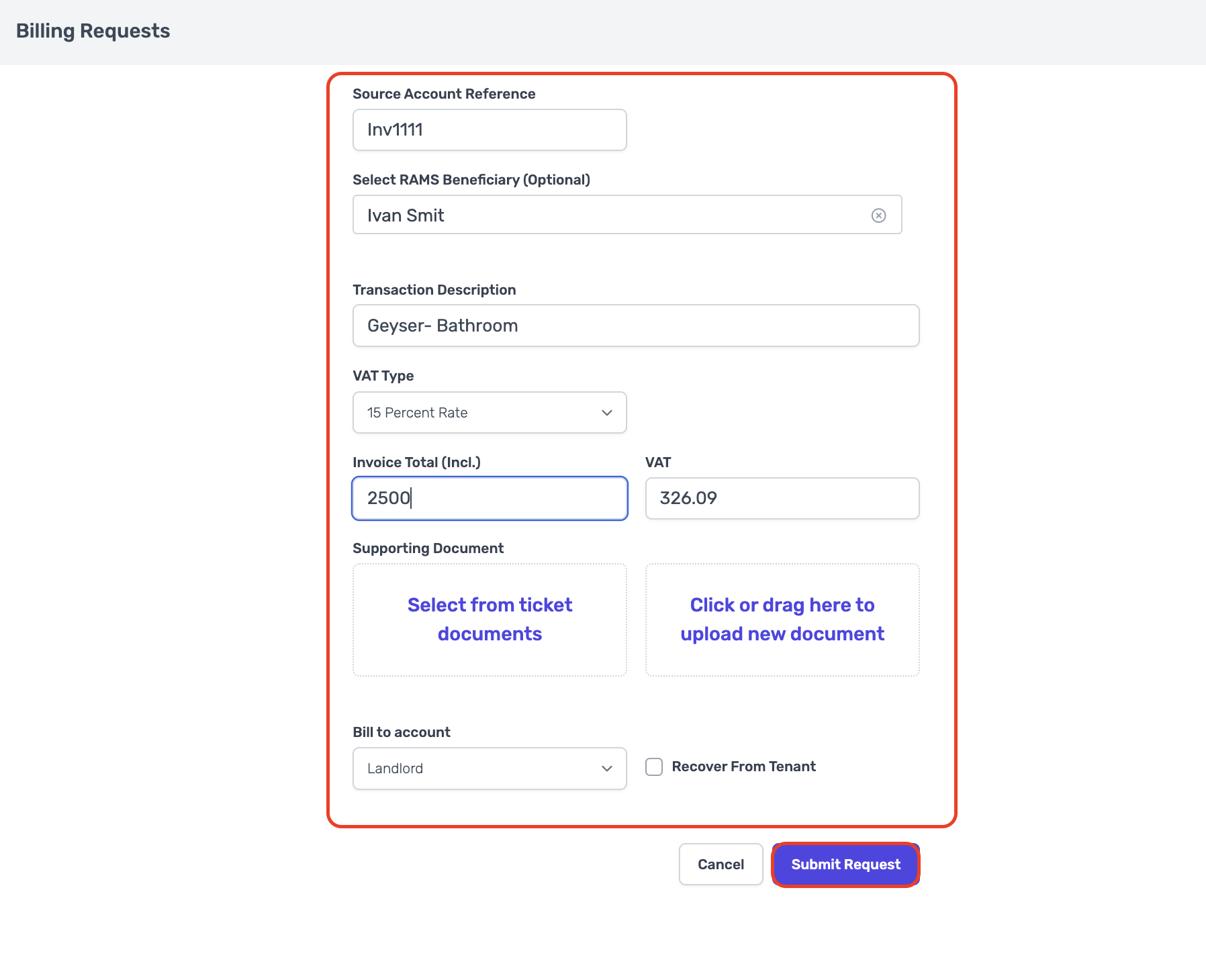
- Enter all the relevant details for the billing request and Submit the request to RAMS.
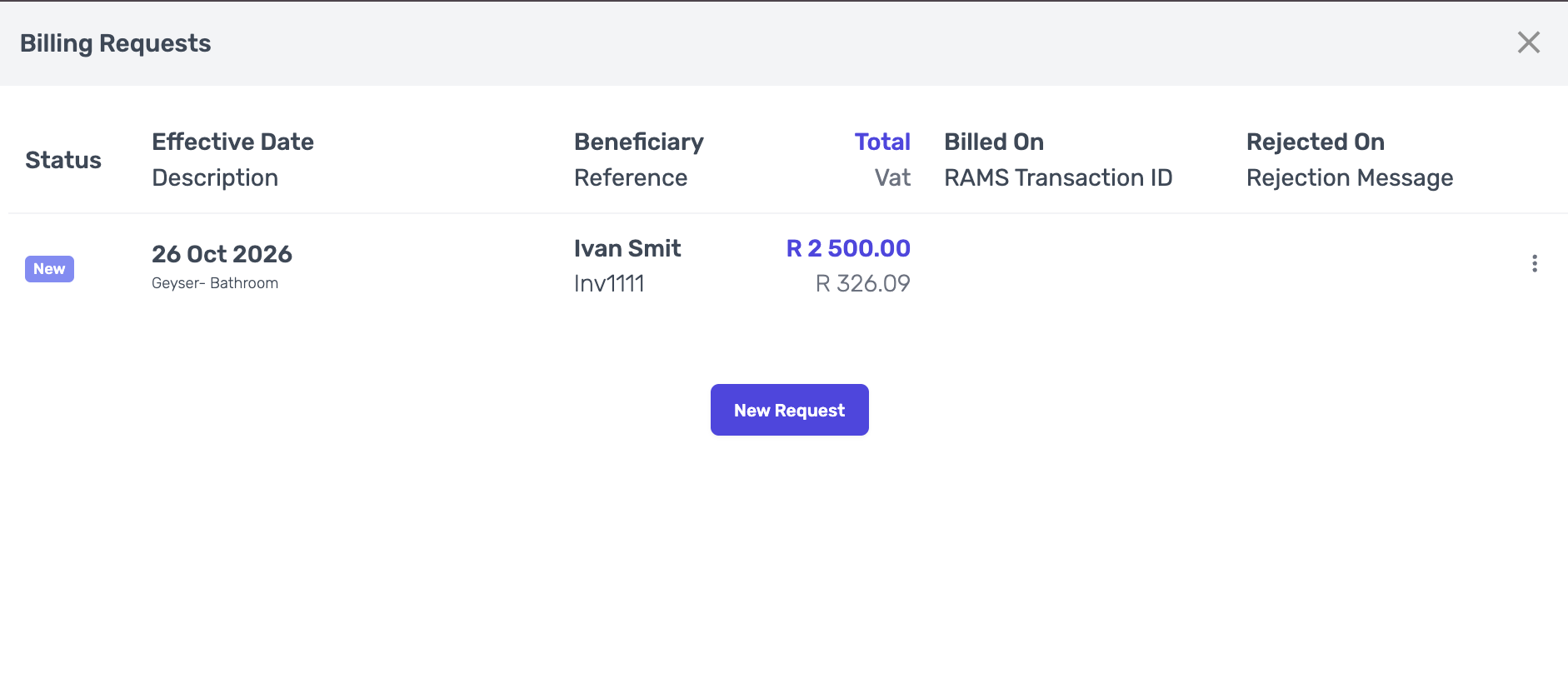
- Once you have send the billing request, it will appear as "New".
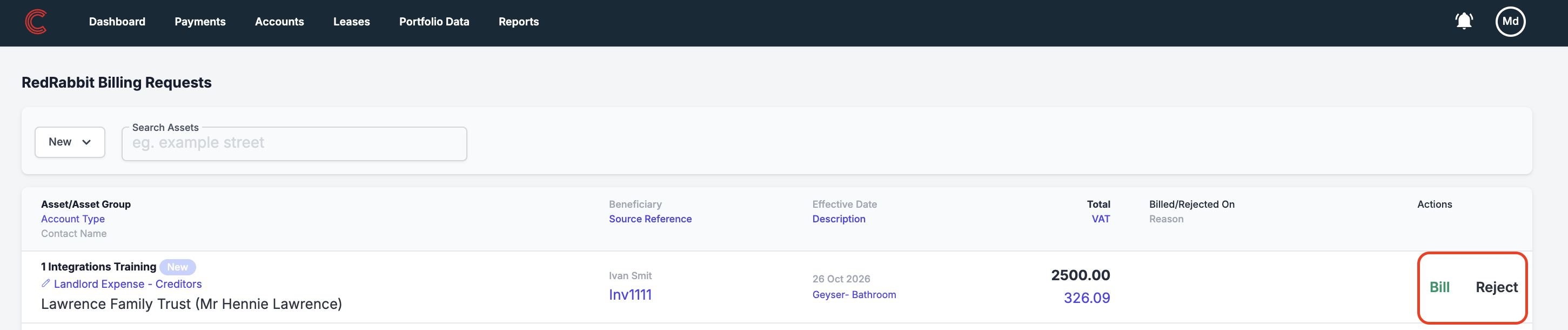
- On the Rental Asset Management Solution side, you are able to "Approve" or "Reject" the billing request.
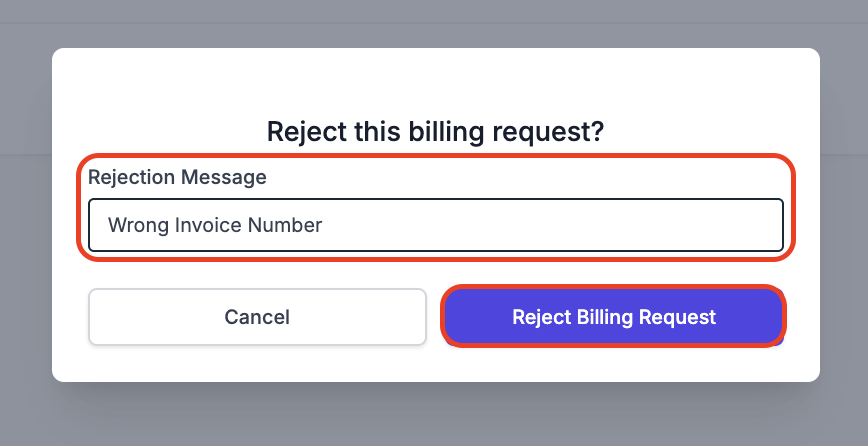
- If there is any missing information in the billing request or incorrect details, you are able to "Reject Billing Request" and add a Rejection Message (Reason for rejecting).
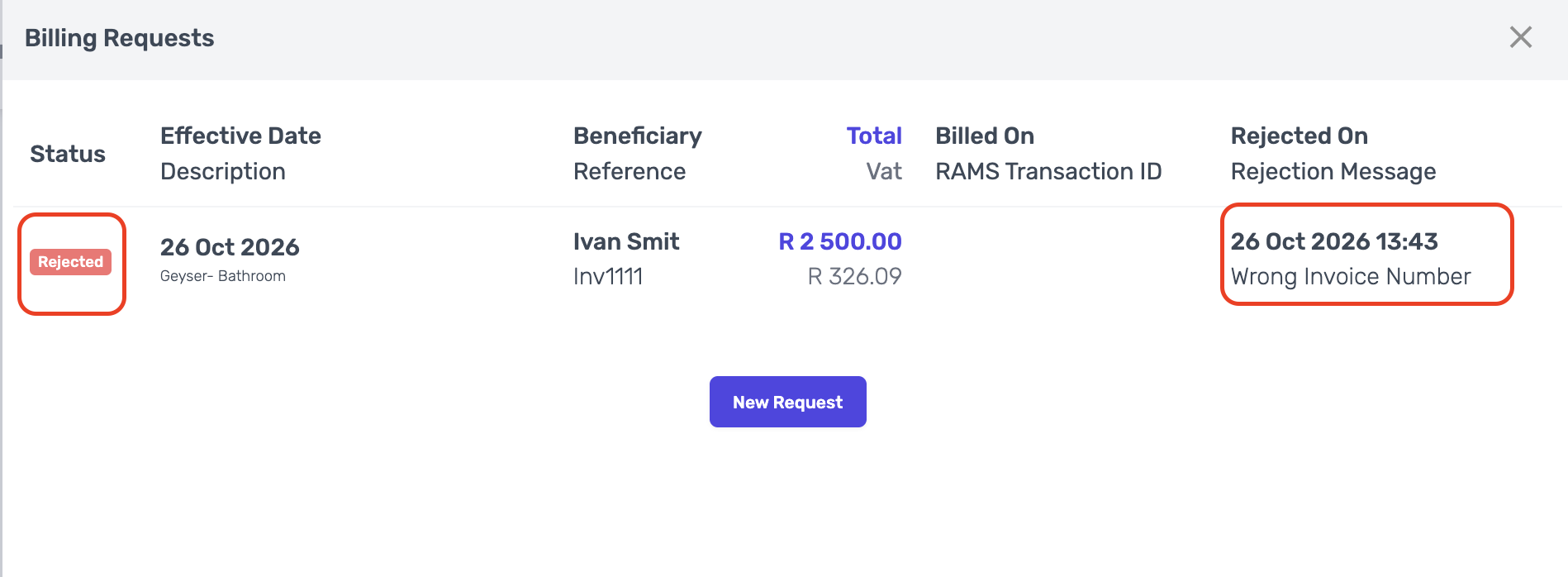
- "Rejected" will display on the RedRabbit Portal under Billing Requests with the reasons for rejection. From here onwards you can create a new billing request again and re-submit.
Was this article helpful?
That’s Great!
Thank you for your feedback
Sorry! We couldn't be helpful
Thank you for your feedback
Feedback sent
We appreciate your effort and will try to fix the article