Contractor Communication enables faster and more efficient communication with contractors and service providers. As service providers may not always have access to a computer, this feature allows them to conveniently access and manage the tickets assigned to them directly from their mobile devices, and it enables you to share live task cards with them.
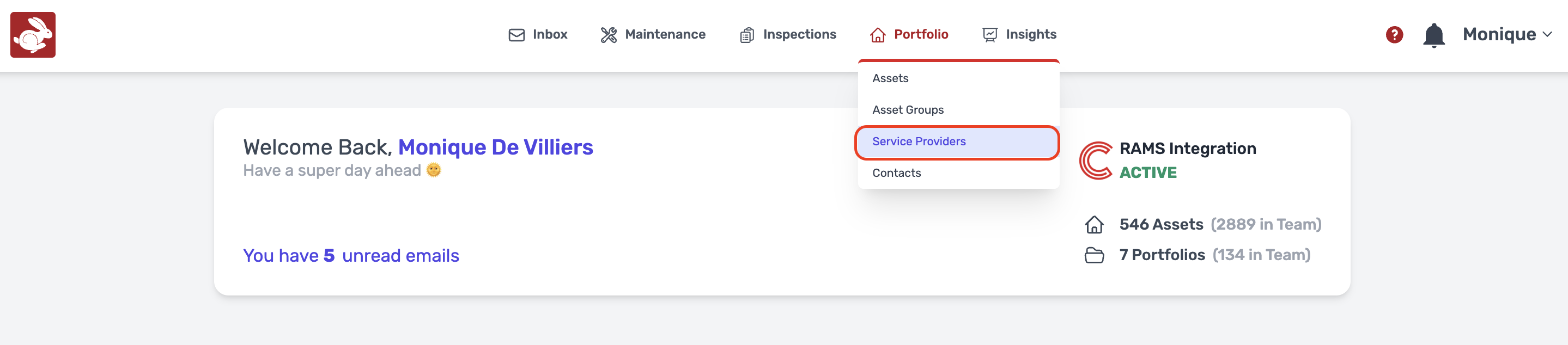
Navigation: Portfolio > Service Providers
- Click on Portfolio, Service Providers
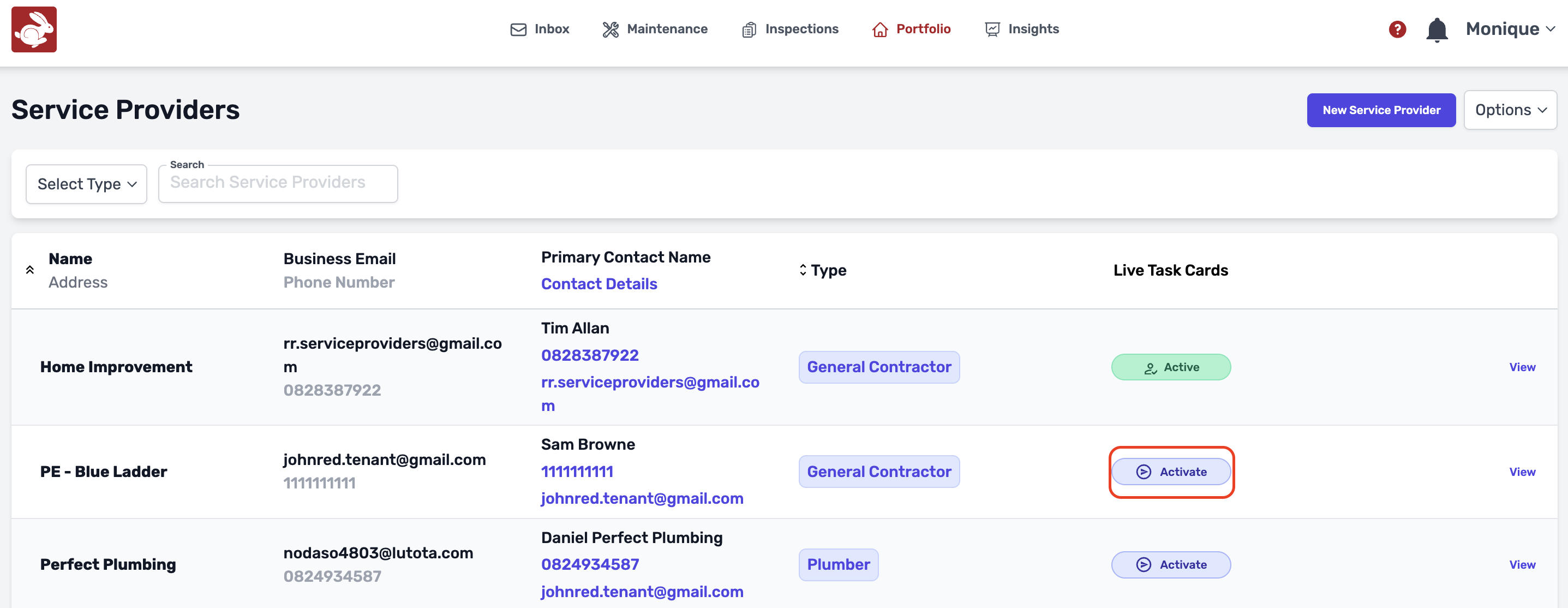
- Navigate to the service provider you wish to Activate for contractor communication, Click on "Activate" if it is already green of colour, it means that they are already Active
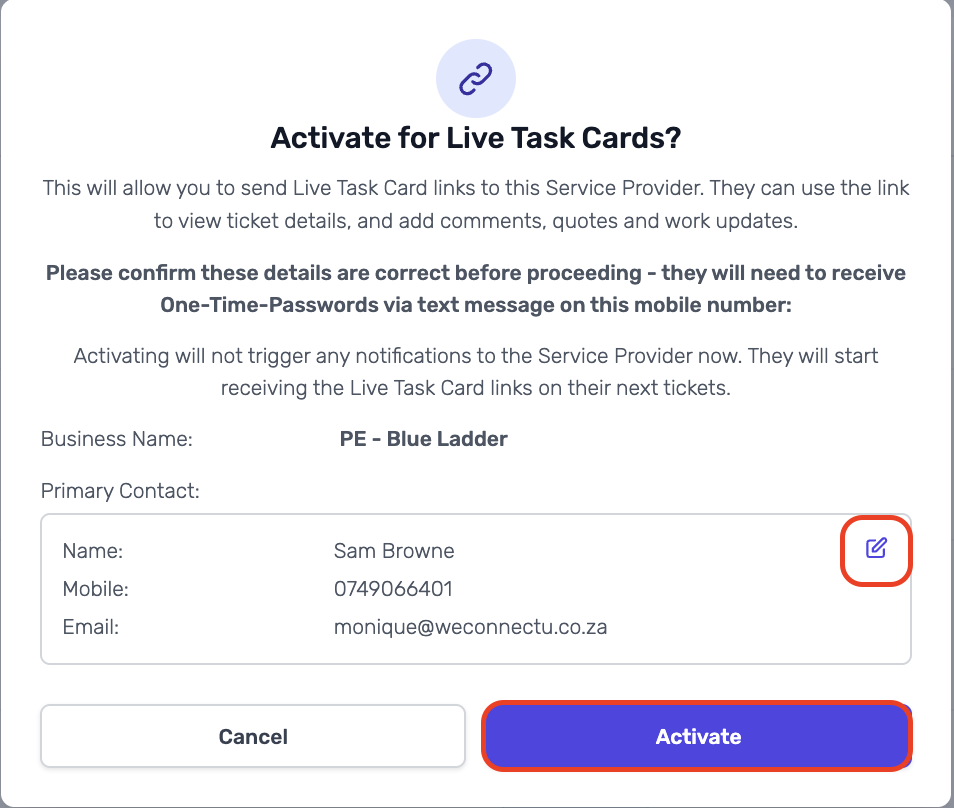
- Click on "Activate"
- You are also able to change the service provider details if anything seems to be incorrect
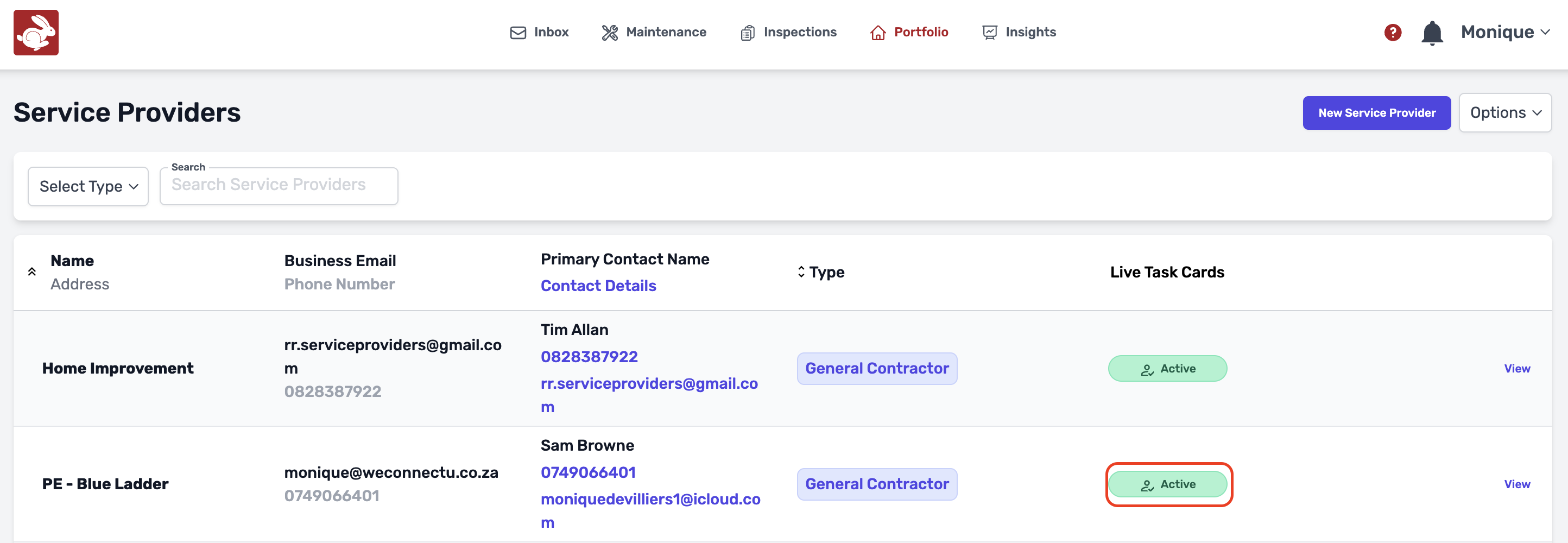
- Once the service provider is active for contrator communication, you will see that it will turn green and show "Active"
Was this article helpful?
That’s Great!
Thank you for your feedback
Sorry! We couldn't be helpful
Thank you for your feedback
Feedback sent
We appreciate your effort and will try to fix the article