- Log into RedRabbit
- You received a phone call and need to log the maintenance ticket
Navigation: RedRabbit Portal > Open Tickets (Green tile)
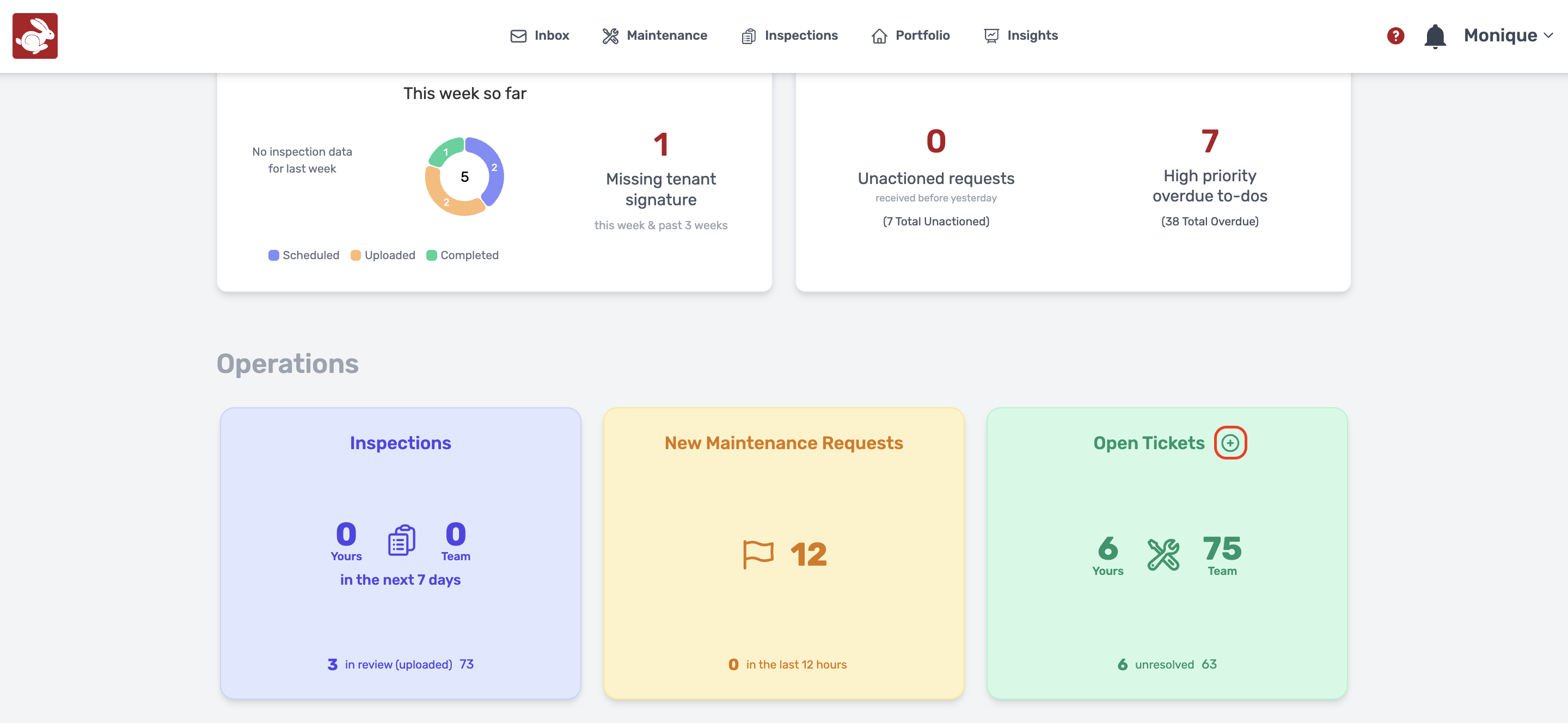
- Navigate to Open Tickets on your home dashboard
- Click on the "+" to add your manual ticket
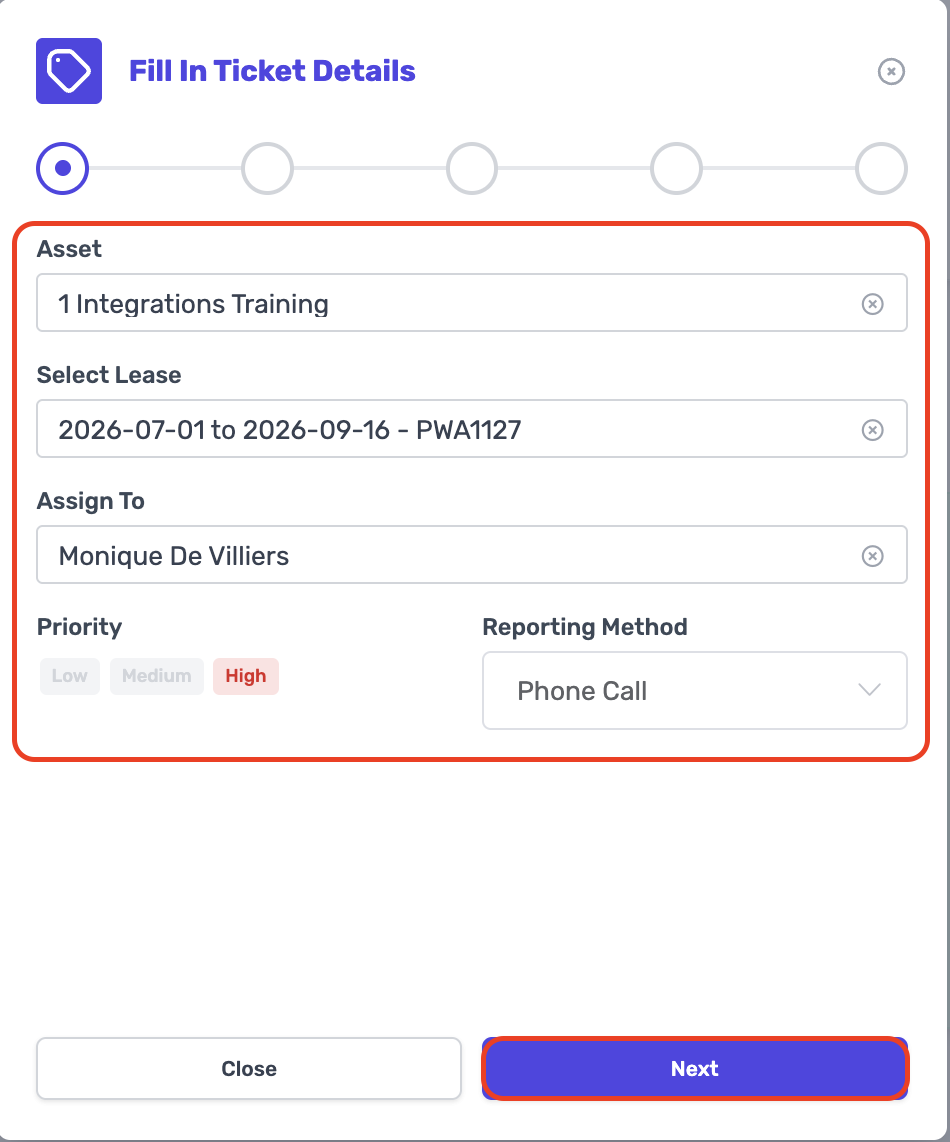
- Fill in the Ticket Details, Click on "Next".
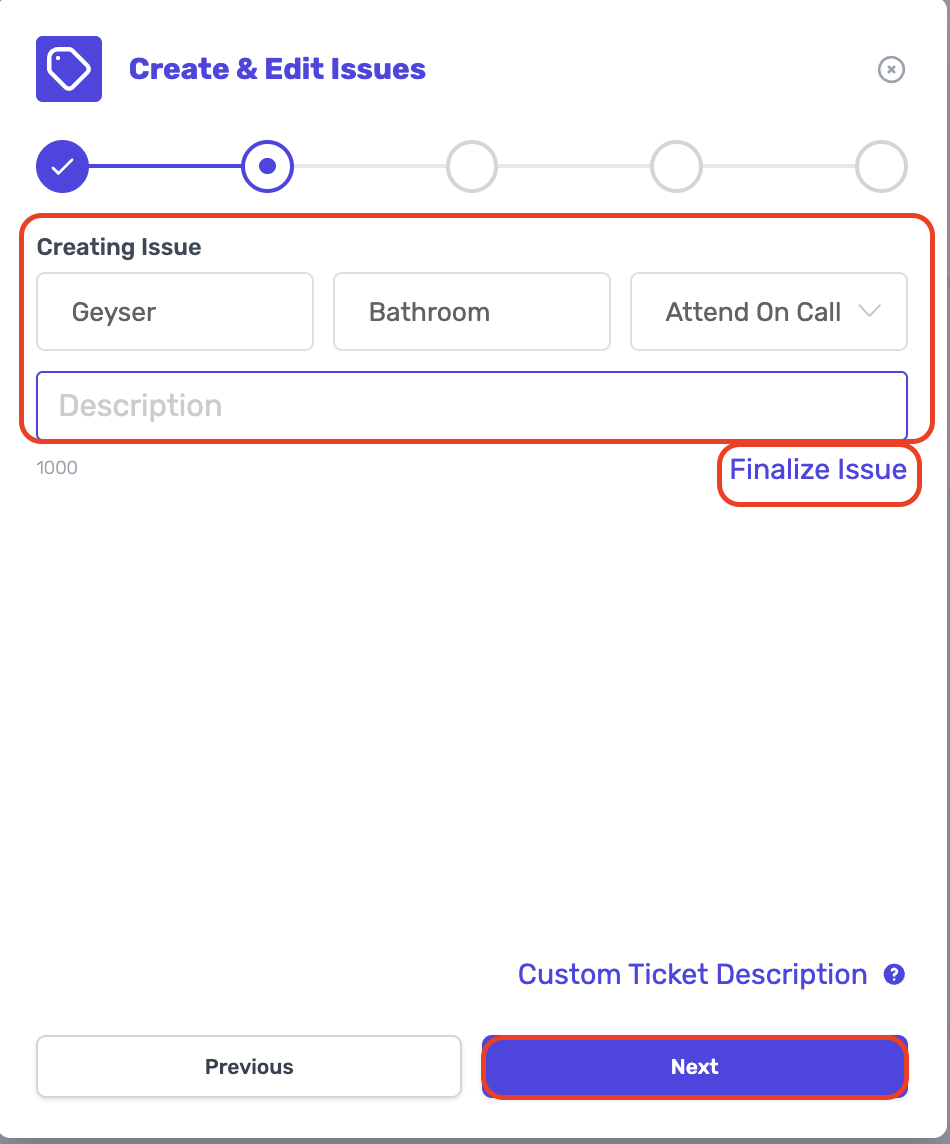
- Here you can edit the issue or "Finalize Issue", Click on "Next".
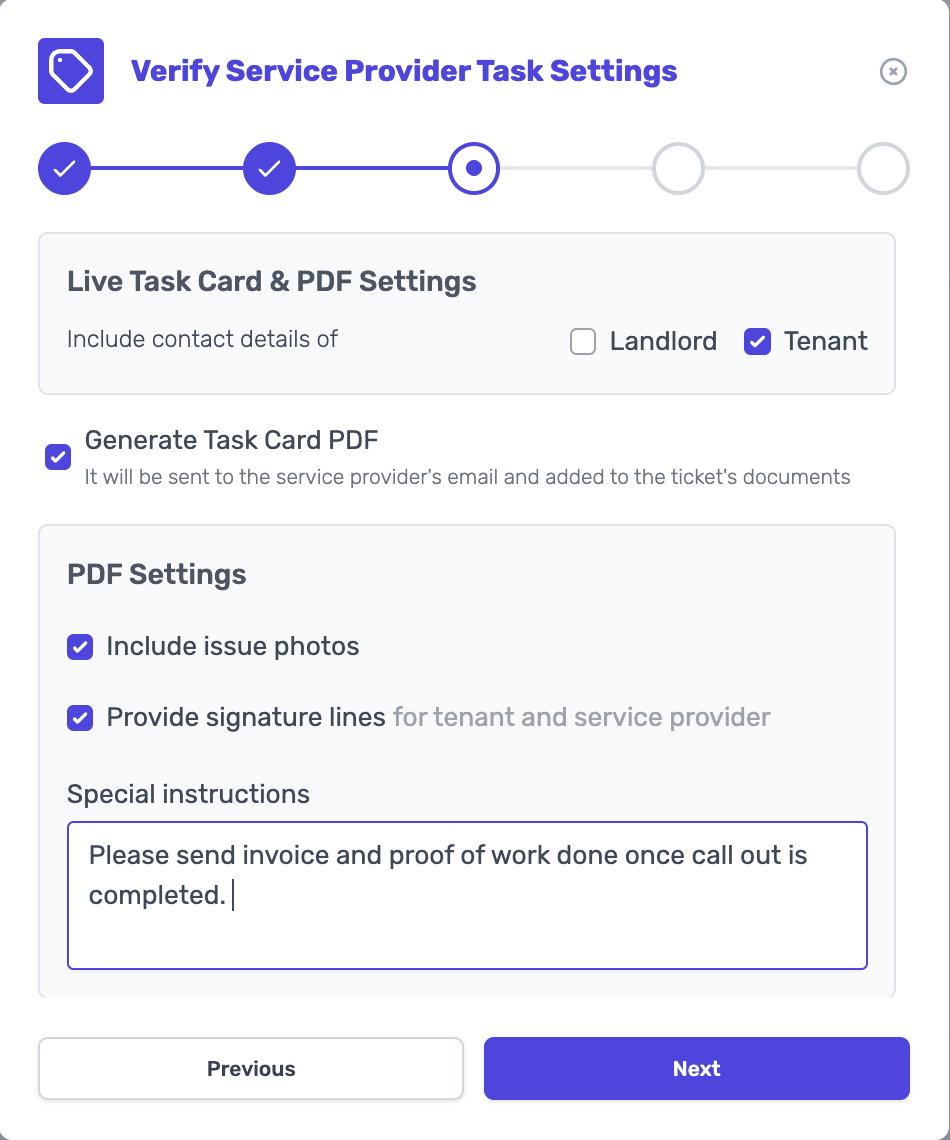
- Share live Task Card and PDF Task Card with the Service Provider, Click on "Next".
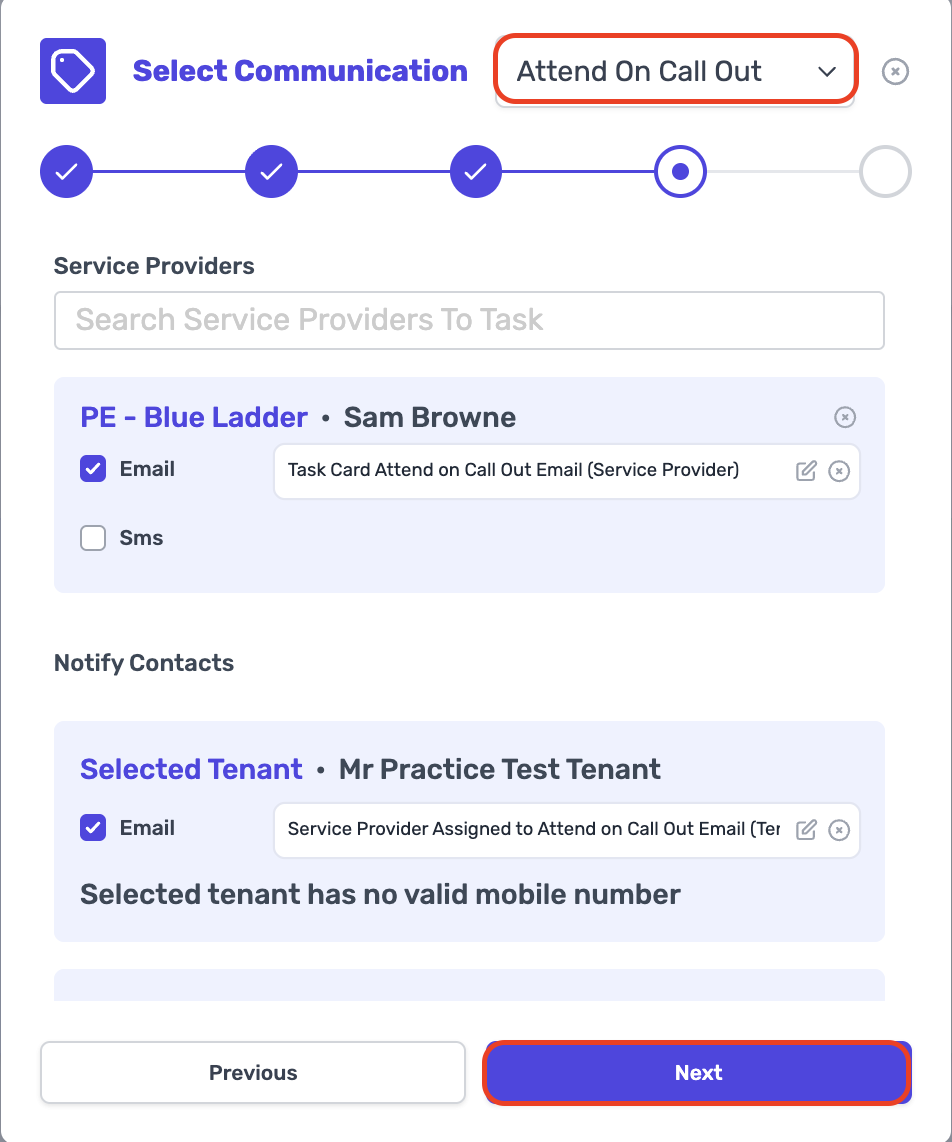
- Select the Communication that is relevant to the ticket that you open, Click on "Next".
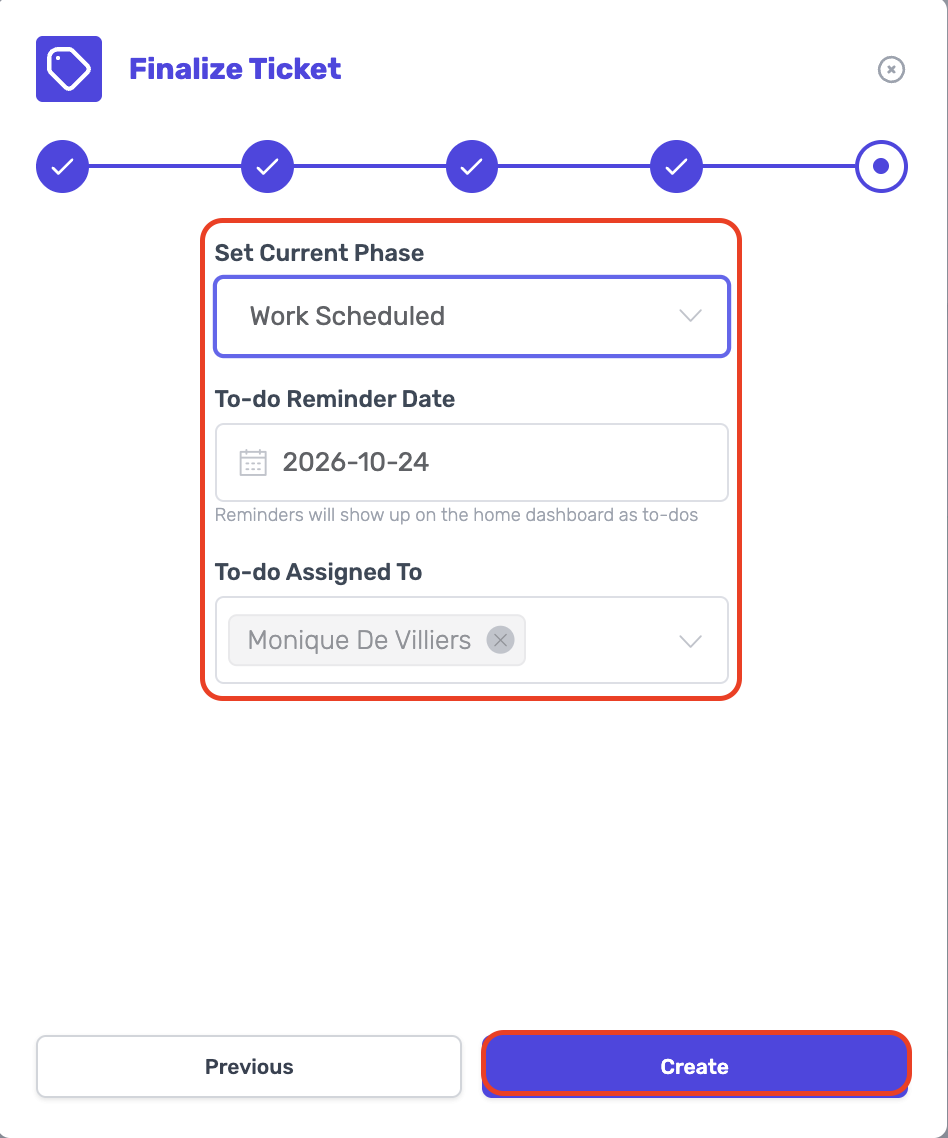
- Set the Current Ticket Phase, set your To-Do Reminder and Click on "Create".
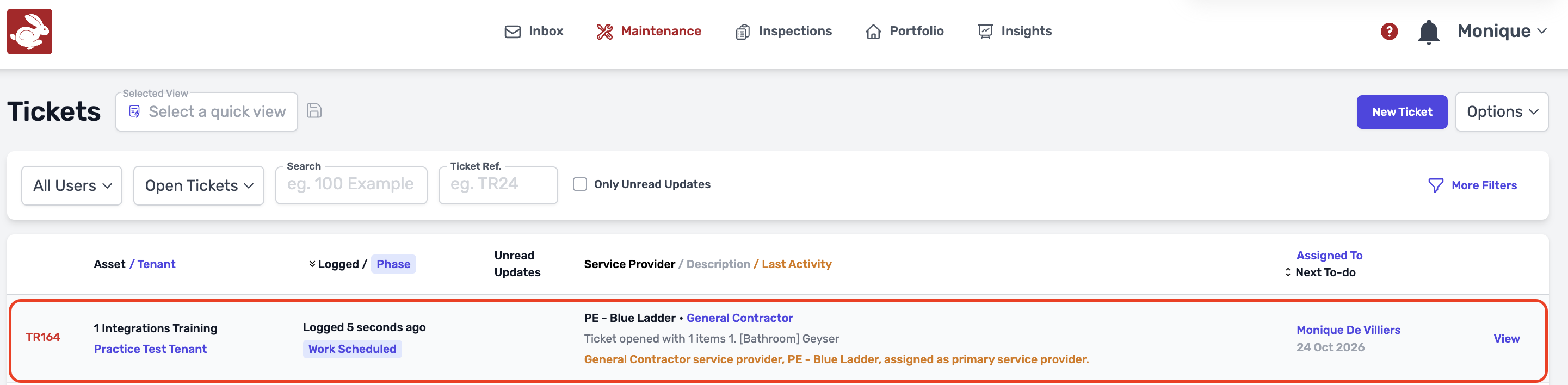
- Once ticket is created you will find the ticket under Maintenance.
Was this article helpful?
That’s Great!
Thank you for your feedback
Sorry! We couldn't be helpful
Thank you for your feedback
Feedback sent
We appreciate your effort and will try to fix the article