How to enable the Camera V2 on your device to access the wide angle capability of your device.
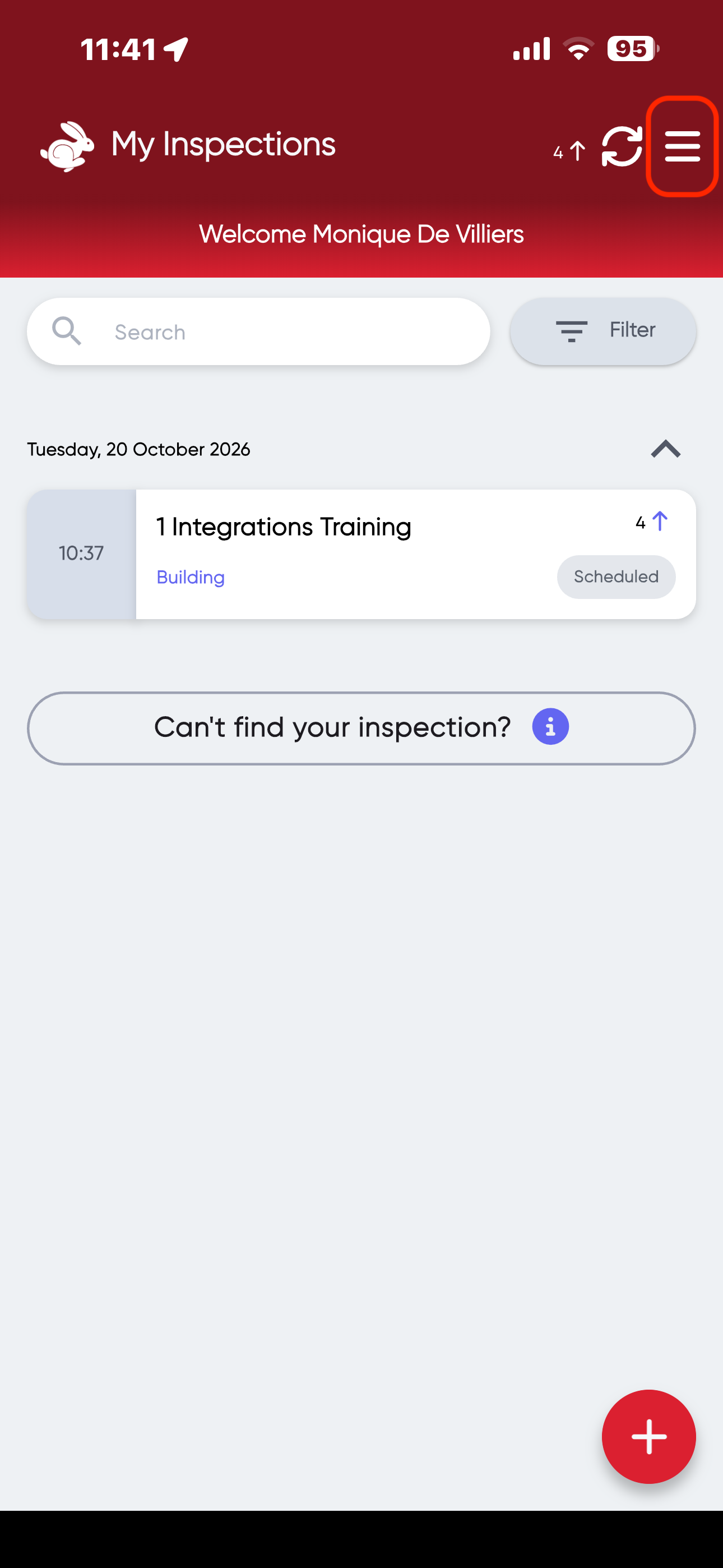
Navigate: Mobile App> Settings> Features> Camera V2
- Mobile App> Settings
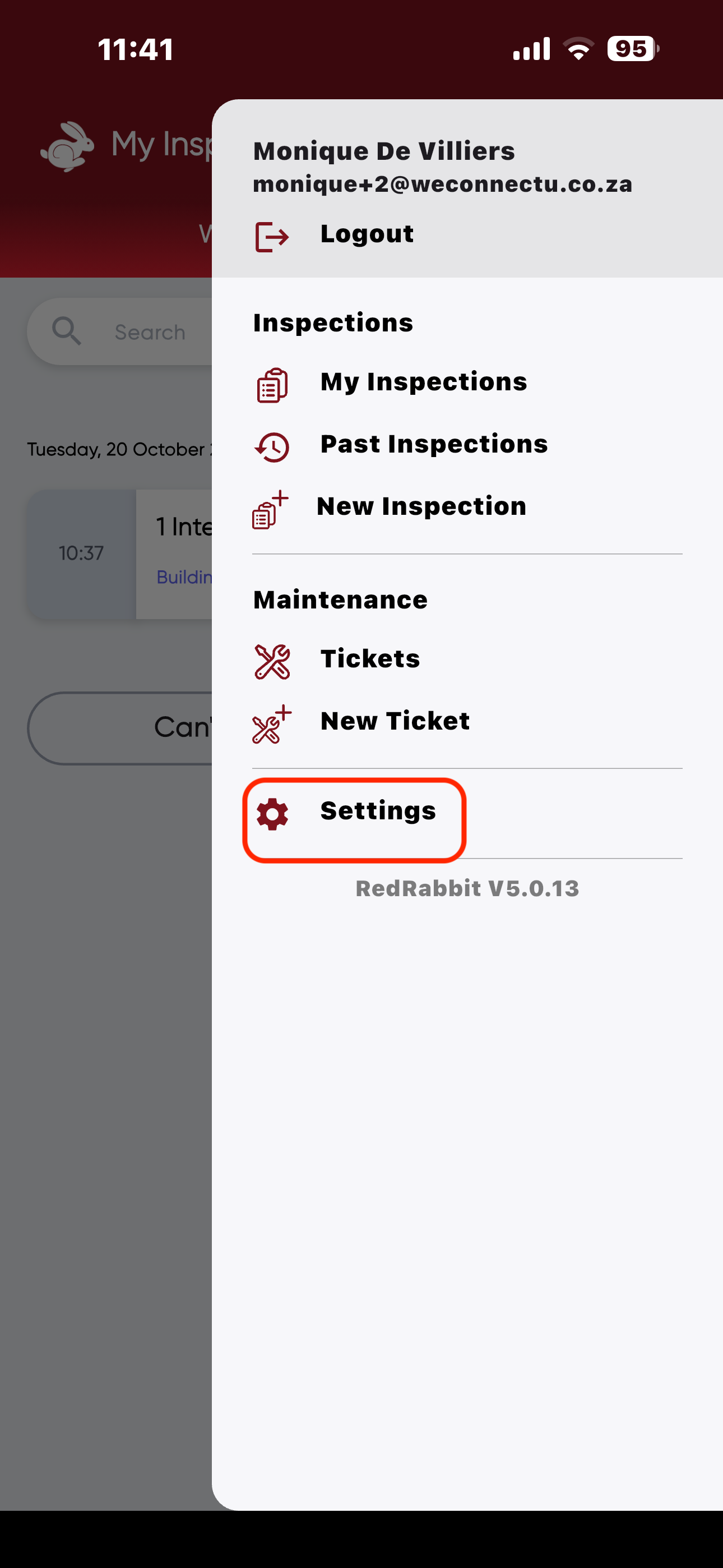
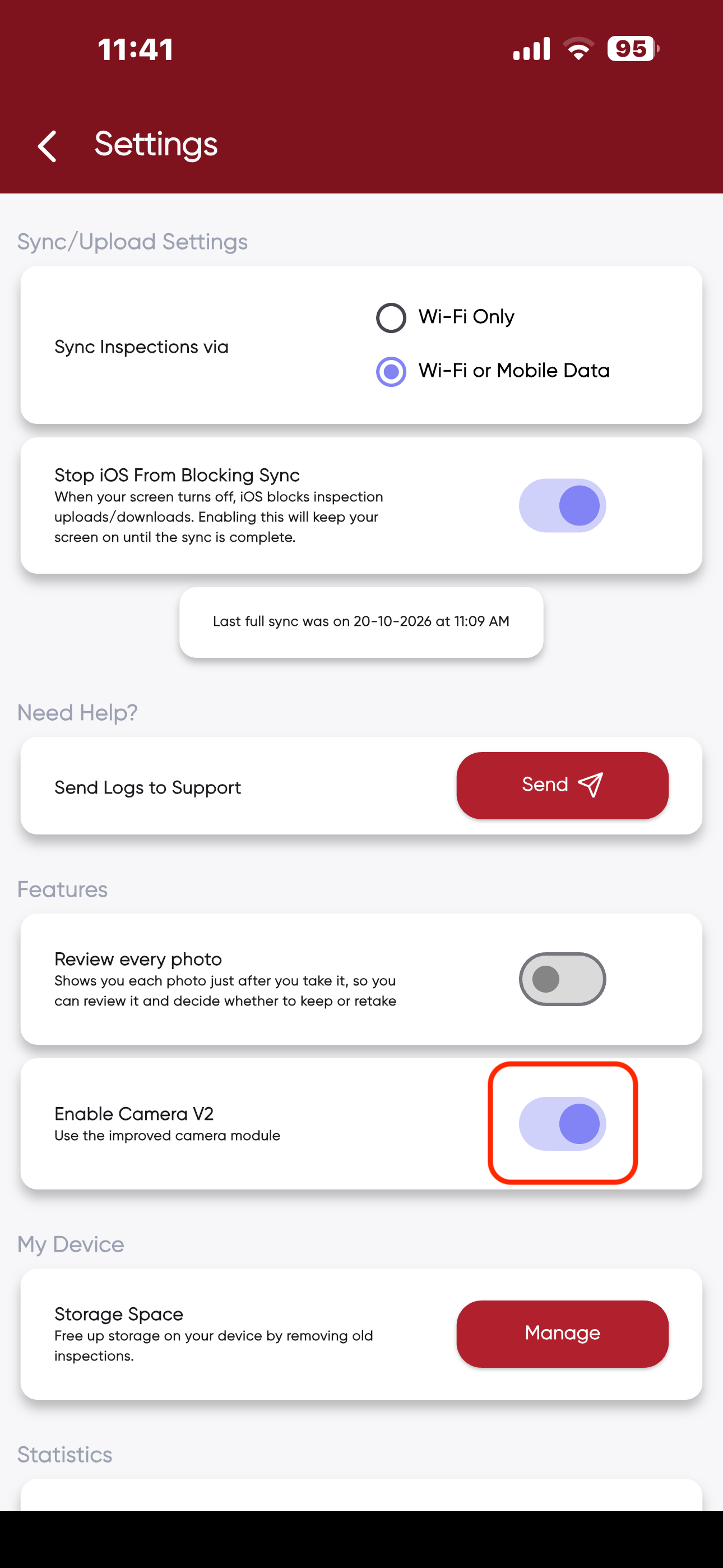
- Features> Enable Camera V2
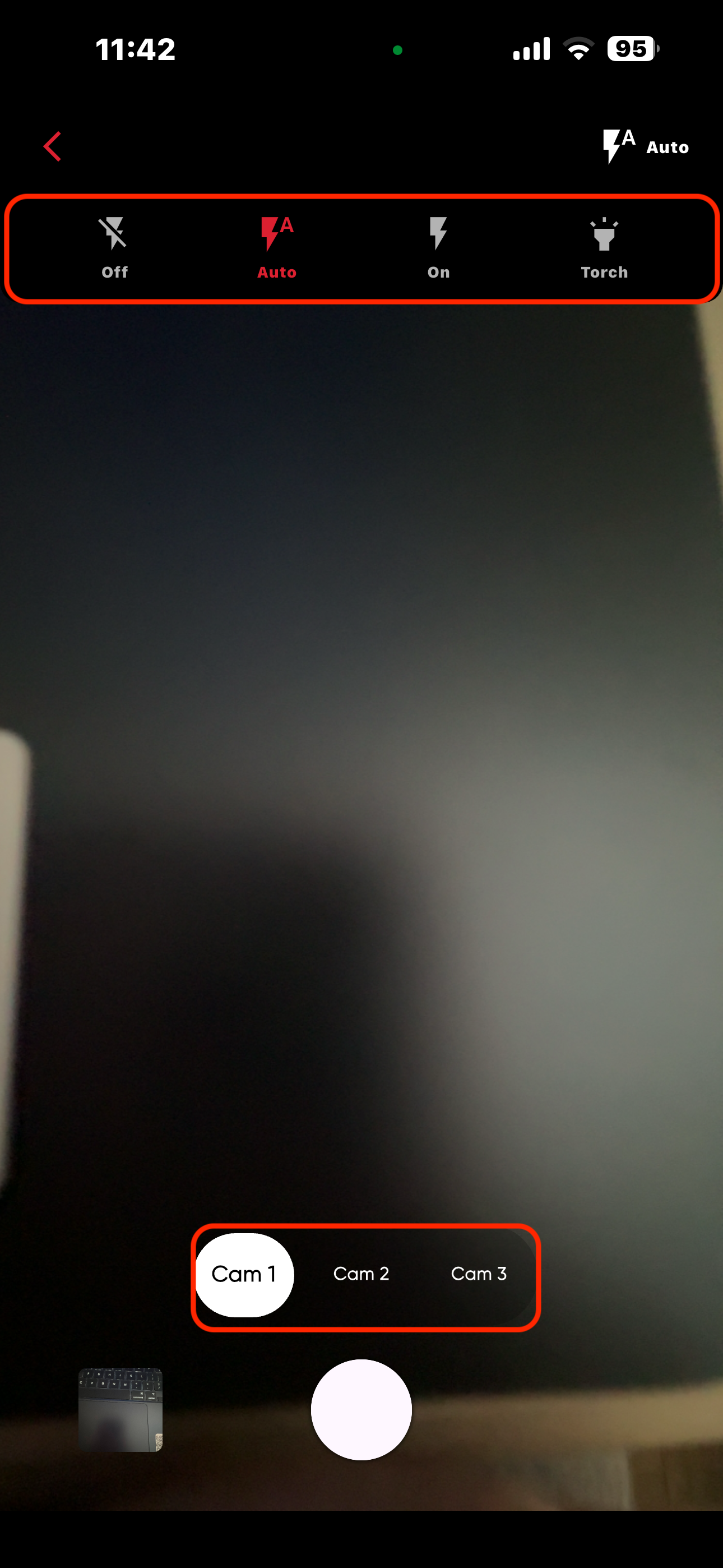
- When inside of the camera and you would like to use the Native Camera, you have different camera options to choose from (zoom & angle options) and you will be able to access options such as flash or no flash.
The request for Native Camera Access needs to be sent to info@redrabbit.zone so your team can be activated.
Kindly keep in mind that 0.5 and 0.6 zoom functionalities are device specific.
Was this article helpful?
That’s Great!
Thank you for your feedback
Sorry! We couldn't be helpful
Thank you for your feedback
Feedback sent
We appreciate your effort and will try to fix the article