Ticketing on the go makes life so much easier as you have the ability to open maintenance tickets on your mobile via the RedRabbit Mobile App.
Navigation: Login to RedRabbit Mobile App > New Ticket
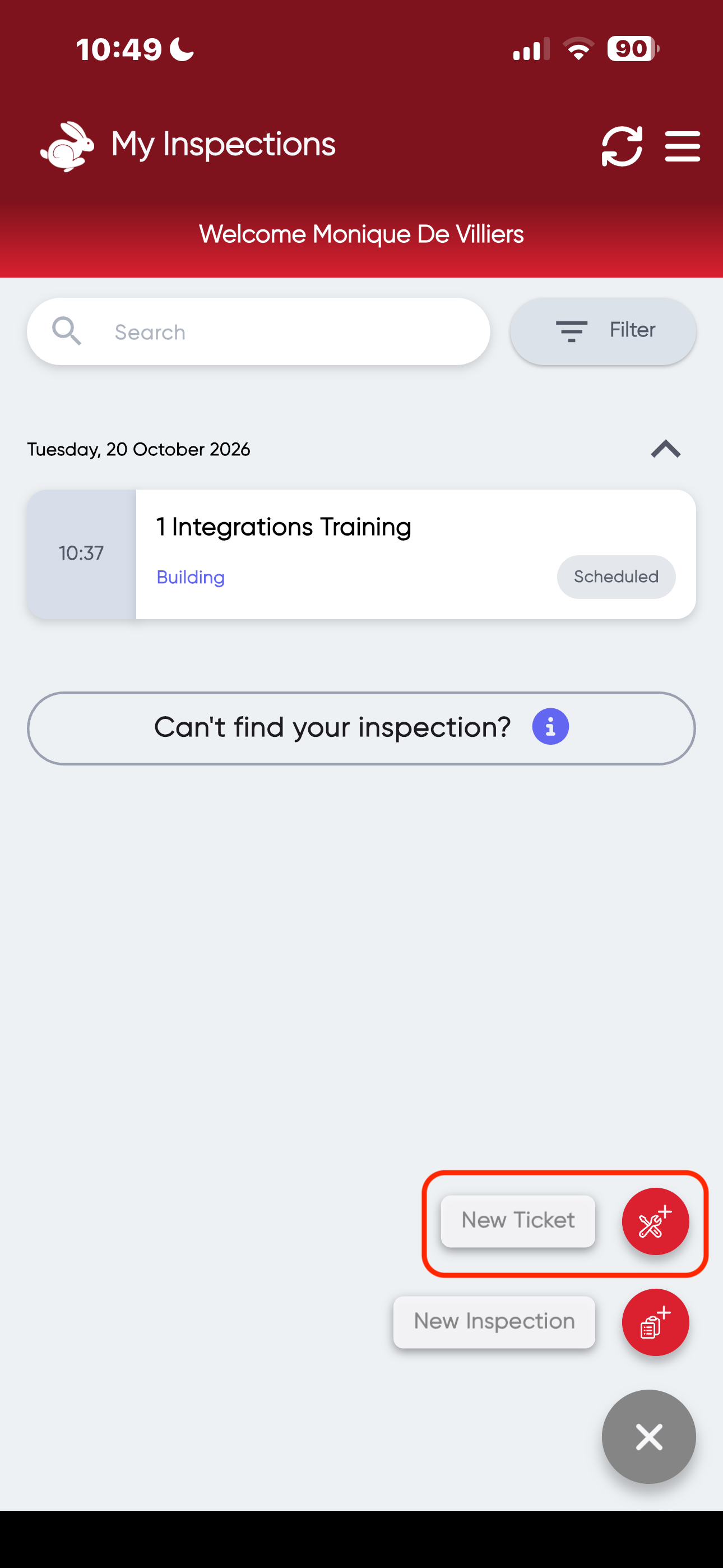
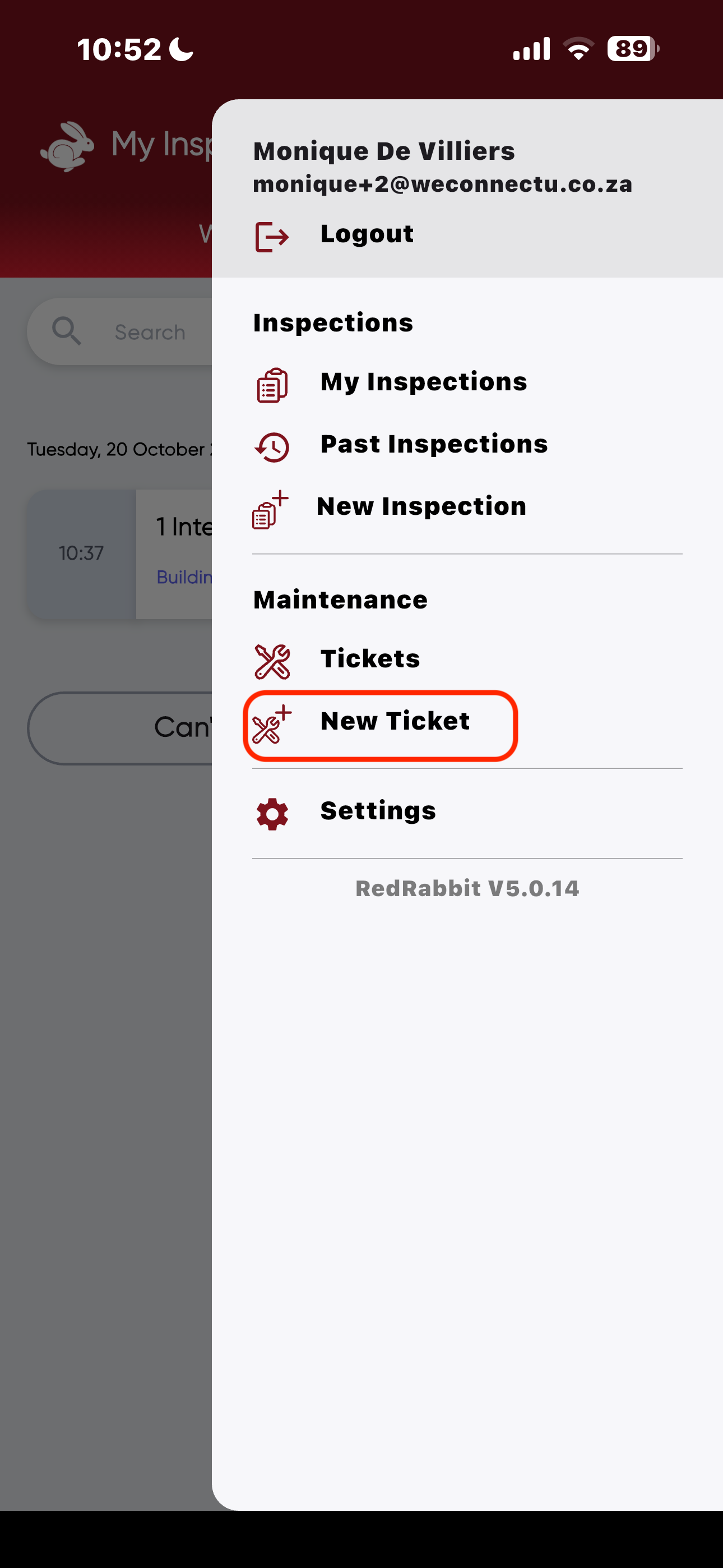
- Click on "New Ticket" in the bottom right corner OR navigate to settings icon in the top right corner and Click on "New Ticket".
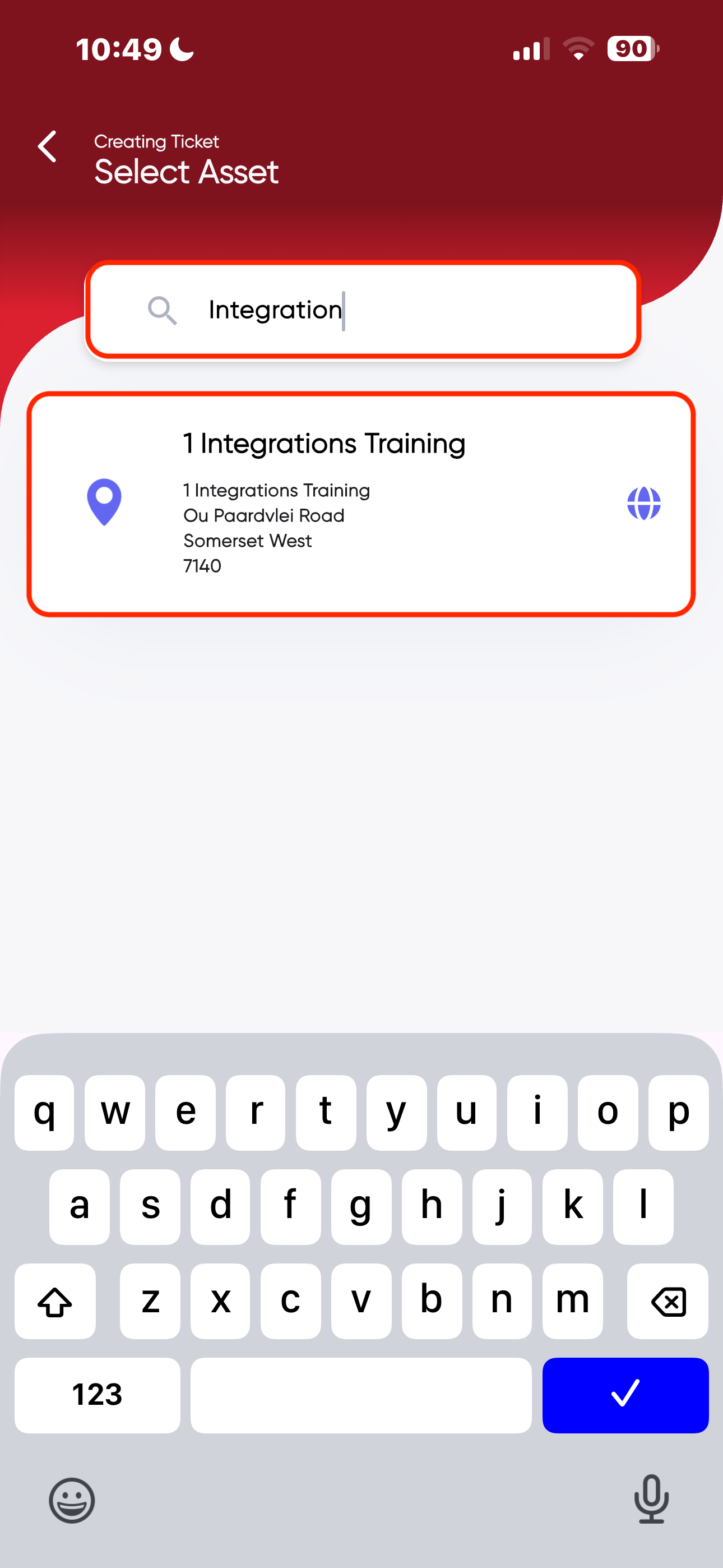
- Select the relevant Asset you want to create a ticket for, OR type in the asset name.
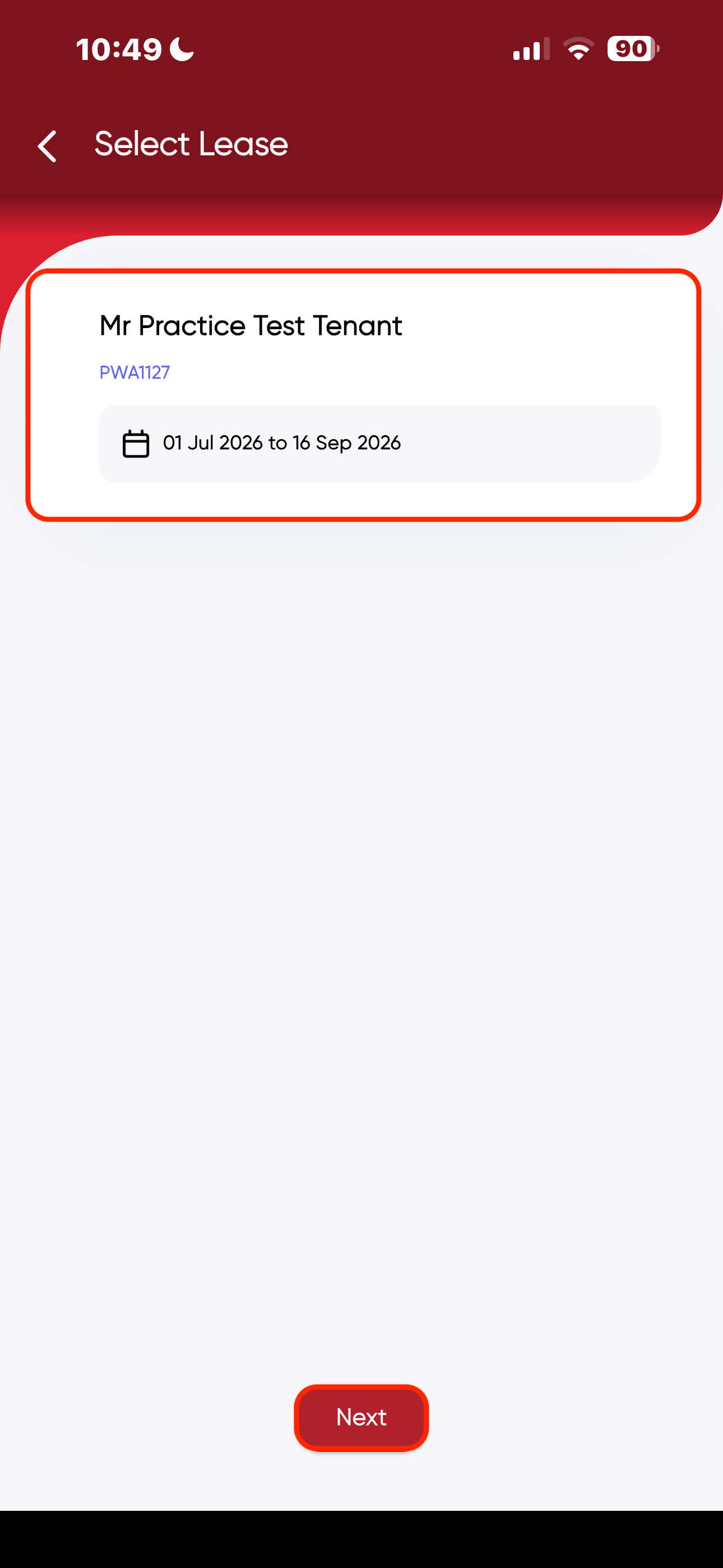
- Select your Lease, Click on "Next".
- Select the Tenant or search for the tenant, Click on "Next".
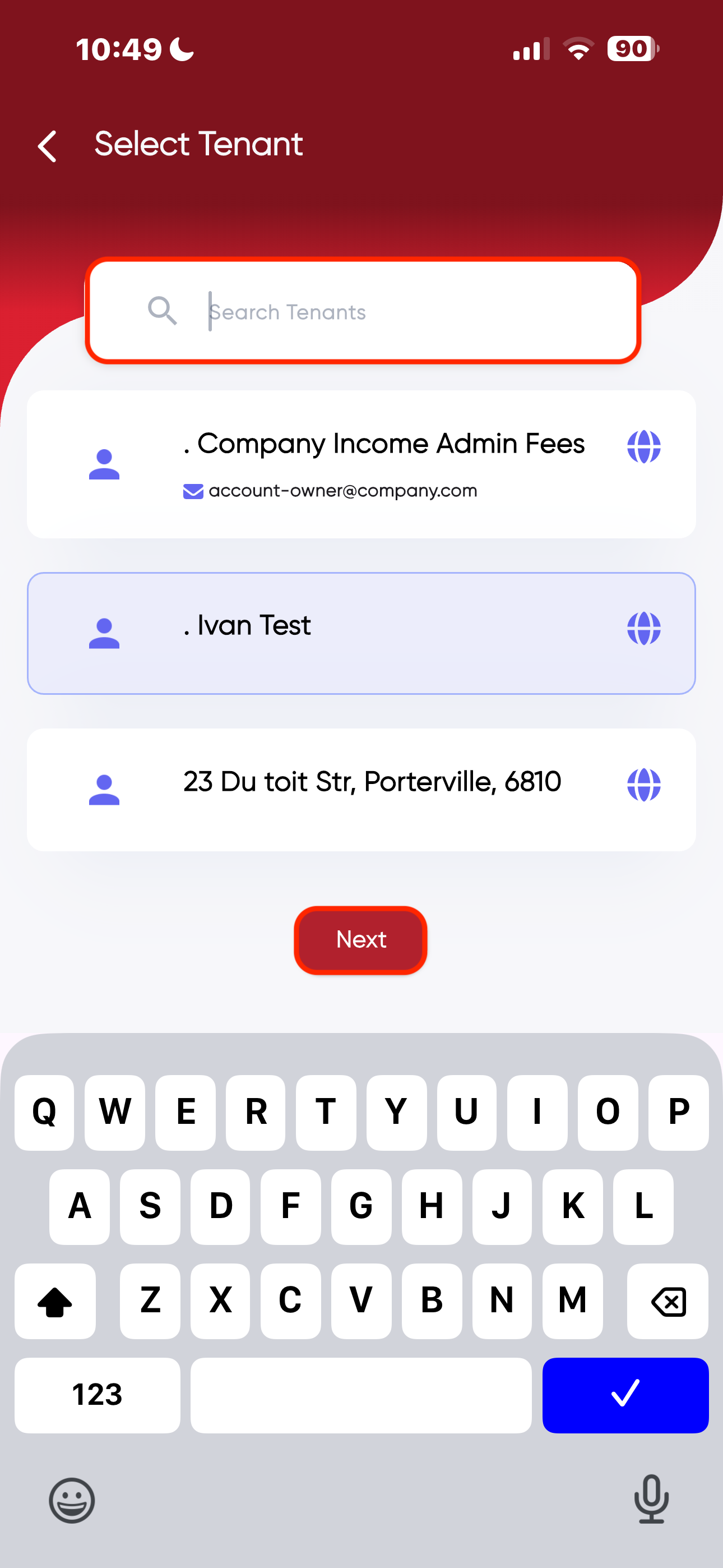
- Create the issue by Clicking on "Add Issue" at the bottom of the page.
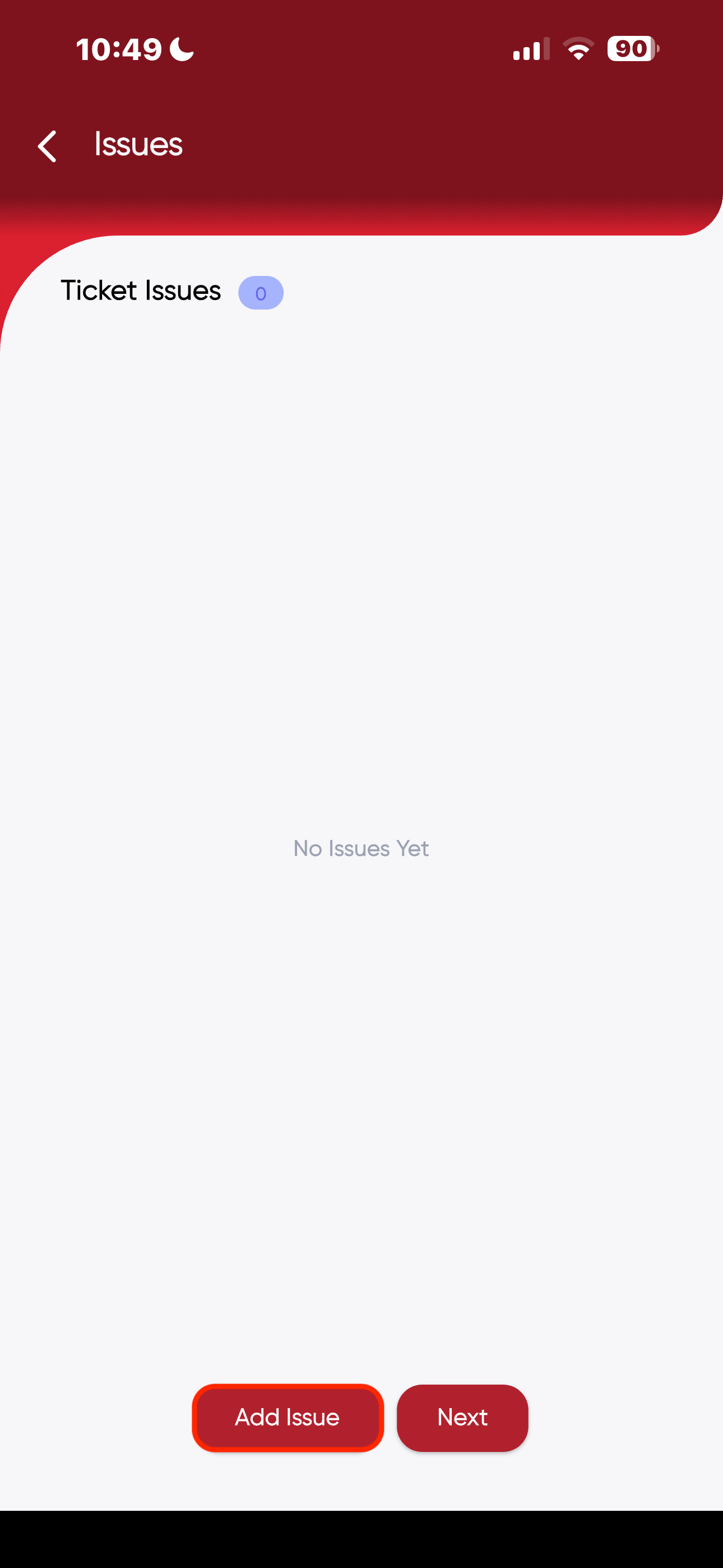
- Fill in the relevant details, take photos and Click on "Create" at the bottom of the page.
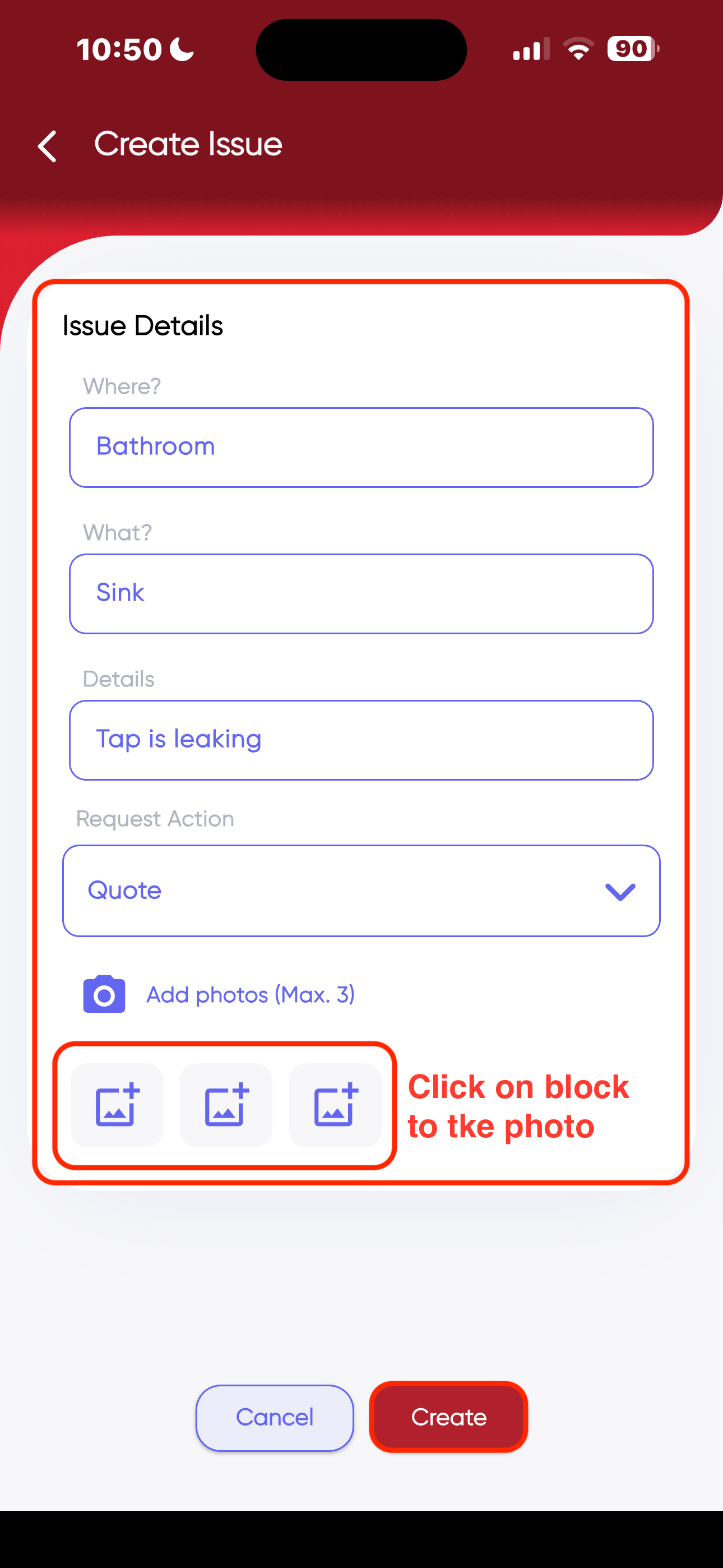
- You can add another issue, edit the issue or just click on "Next".
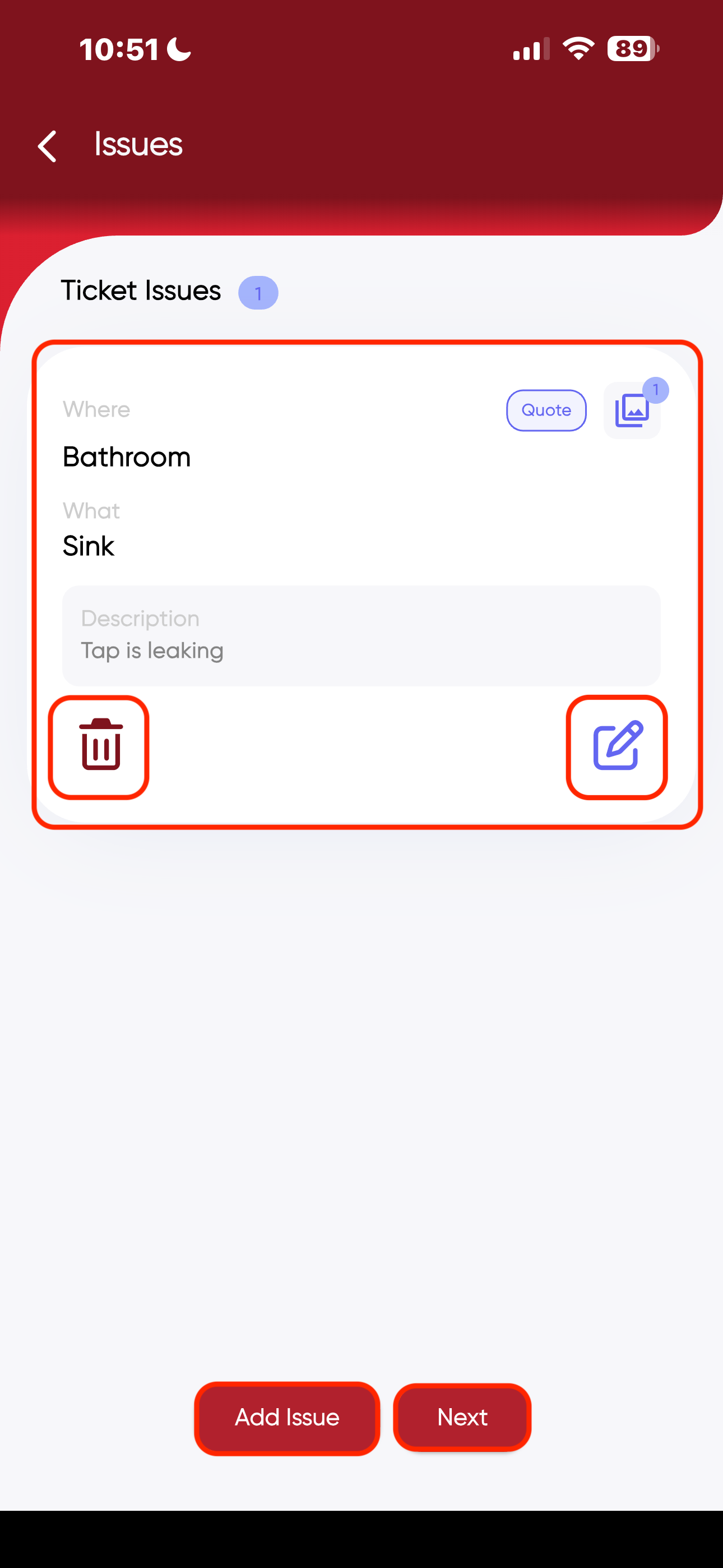
- Send out the task card to the service provider, Click on "Next".
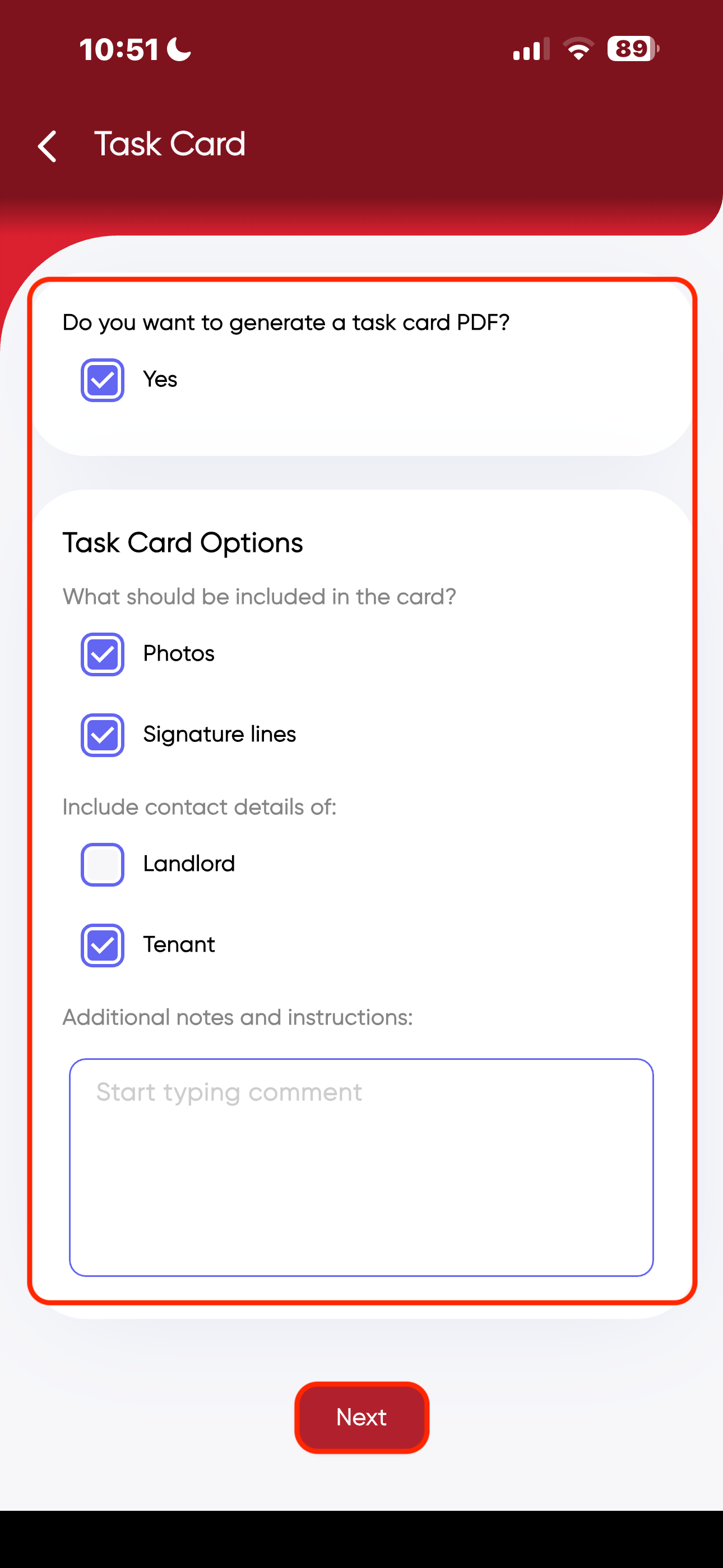
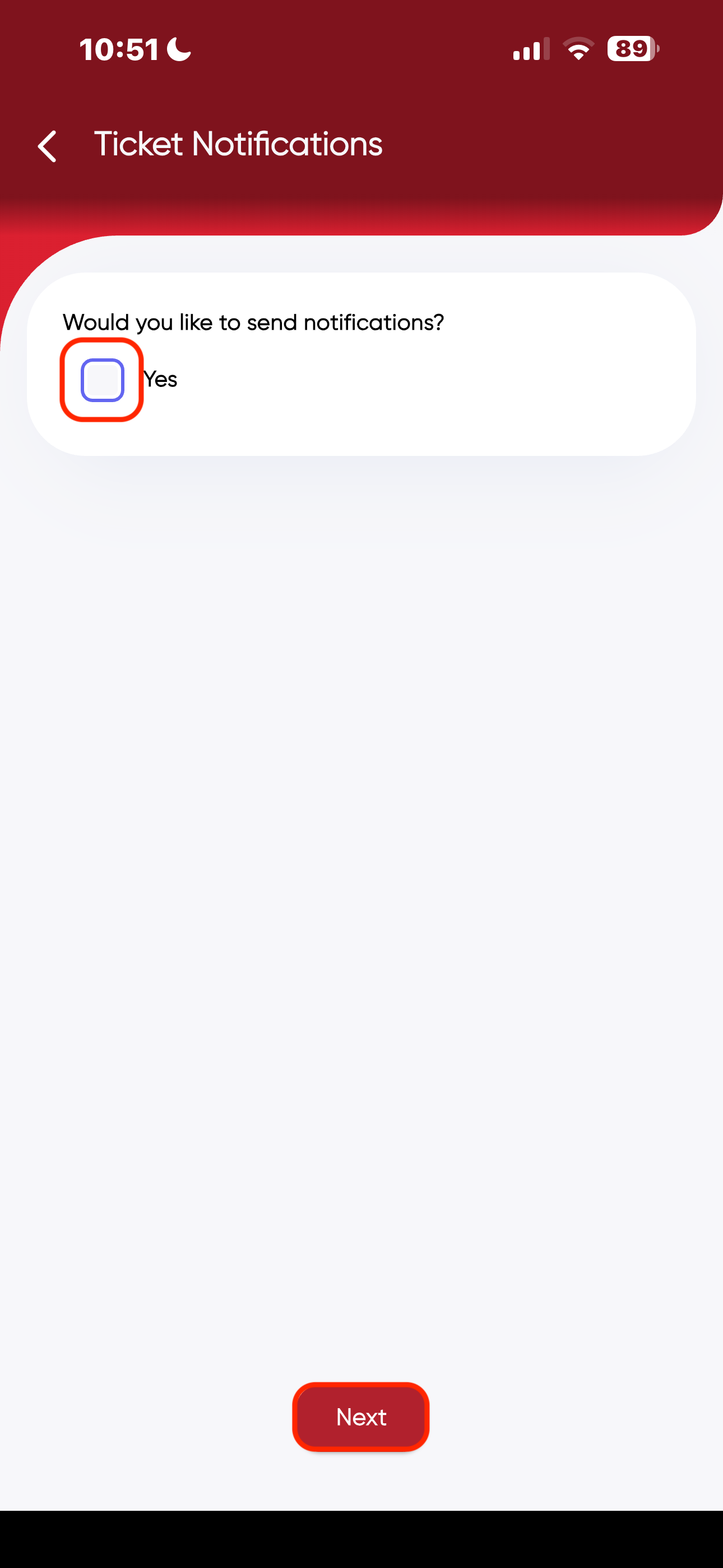
- Click on the Block to send notifications to relevant parties, Click on "Next".
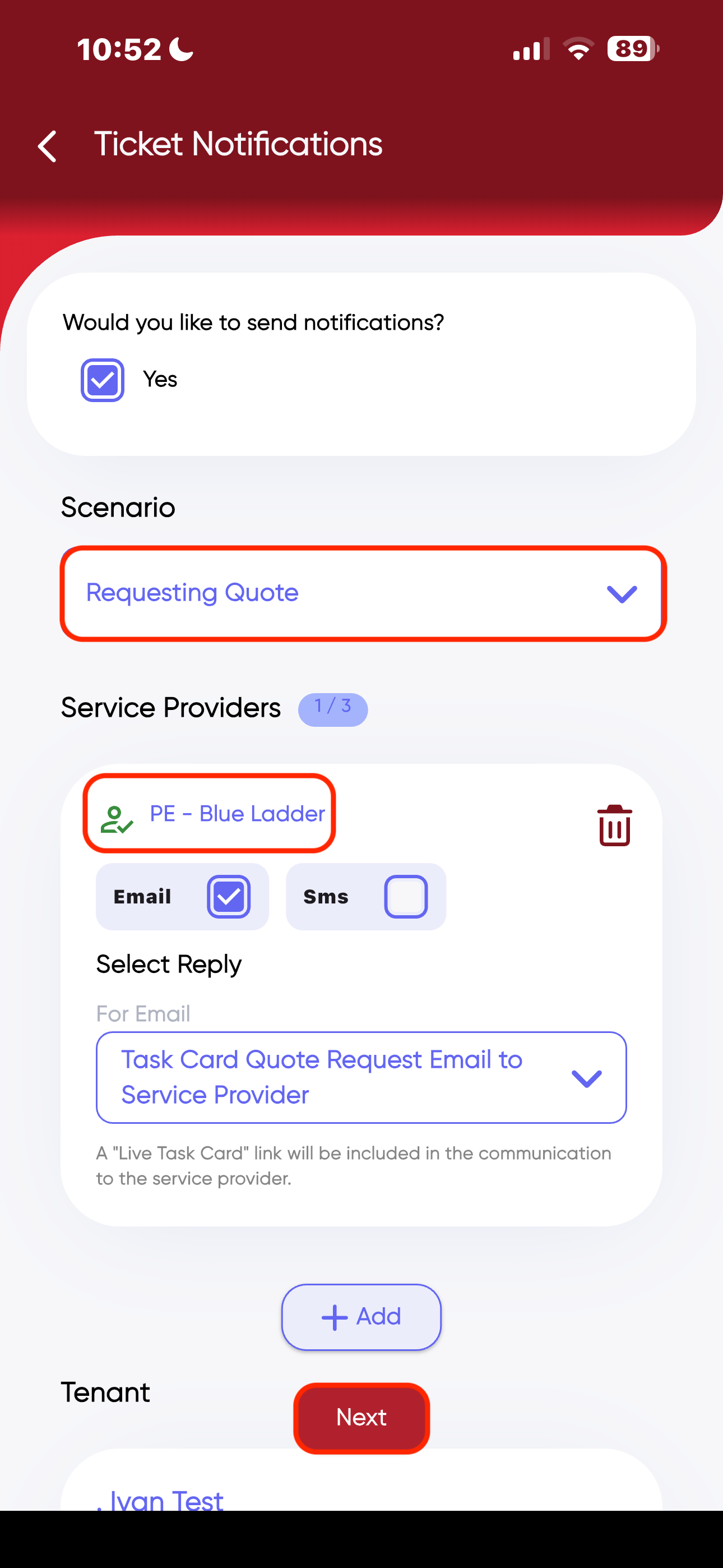
- Select the relevant scenario for your ticket. The Icon displayed in the photo below means that the service provider is active for Contractor communication, meaning you can send a "Live Task Card".
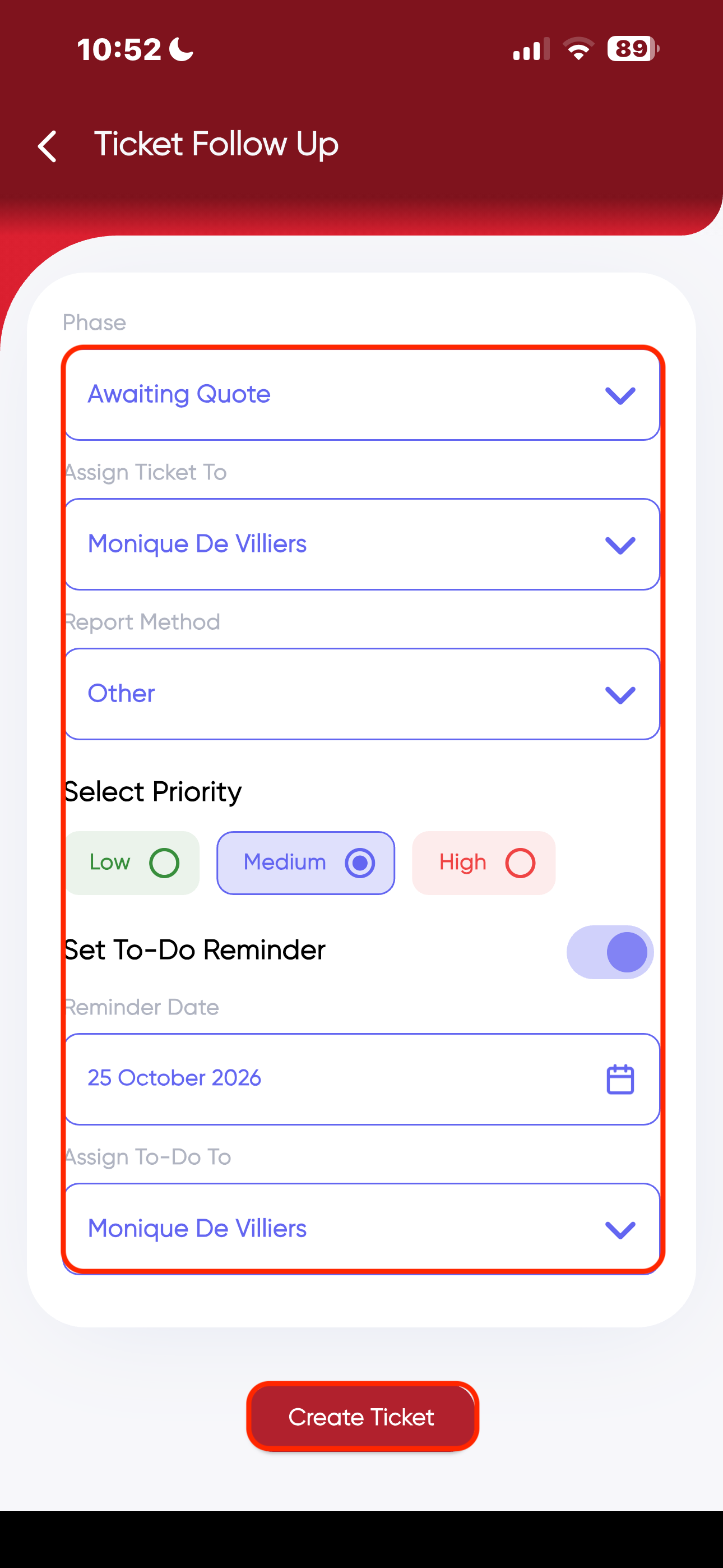
Fill in the details for your Ticket Follow up, Click on "Create Ticket".
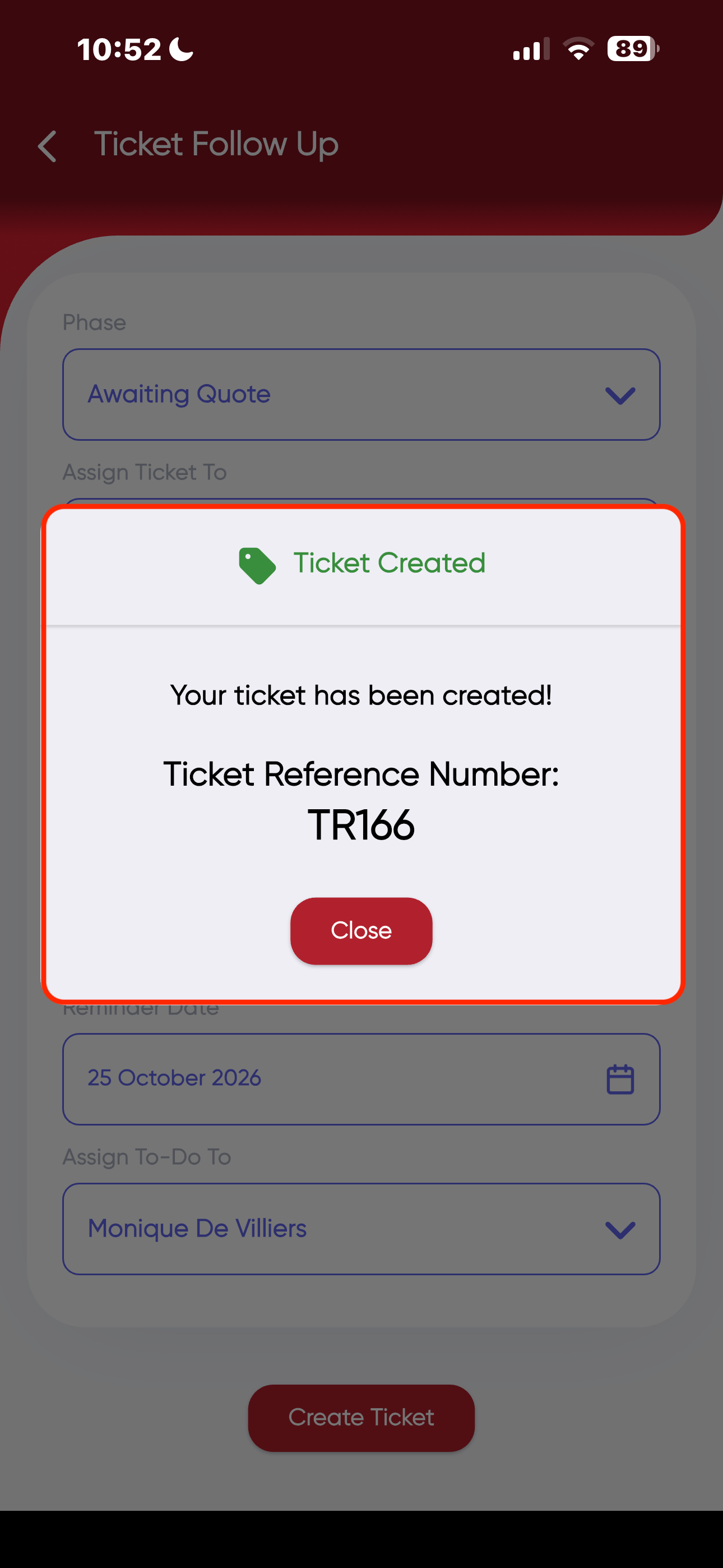
- Once Ticket is created, you will receive a "Ticket Reference Number" and the ticket will pull through to the RedRabbit Portal.
Was this article helpful?
That’s Great!
Thank you for your feedback
Sorry! We couldn't be helpful
Thank you for your feedback
Feedback sent
We appreciate your effort and will try to fix the article