Sometimes you do not have your laptop with you to update a maintenance ticket if there is any changes that happens, you can use your RedRabbit Mobile App to make changes to existing maintenance tickets, communicate with relevant parties and update the ticket.
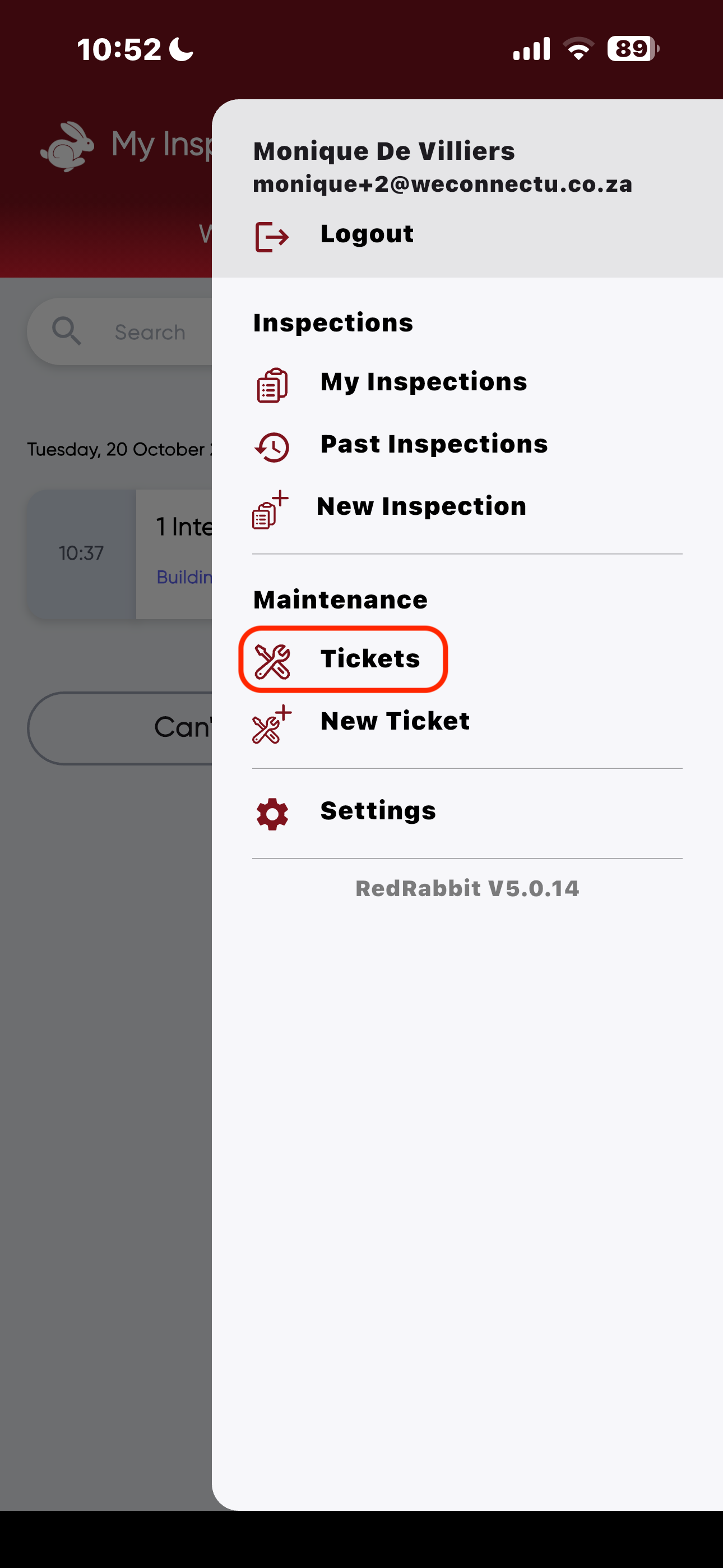
Navigation: Menu in Top Right Corner of the App > Tickets
- Click on the menu icon in the top right corner of your RedRabbit Mobile App, Click on "Tickets".
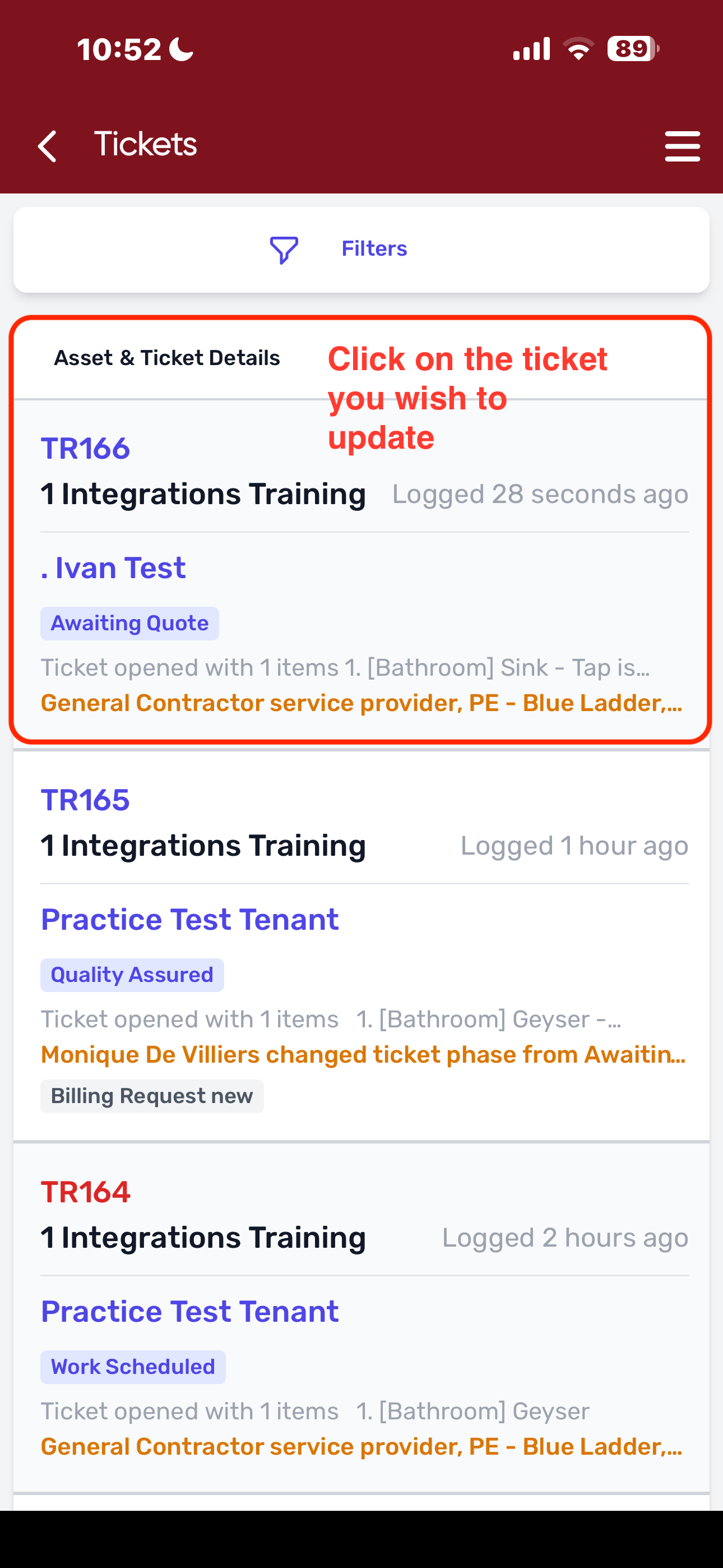
- Click on the Ticket that you would like to update.
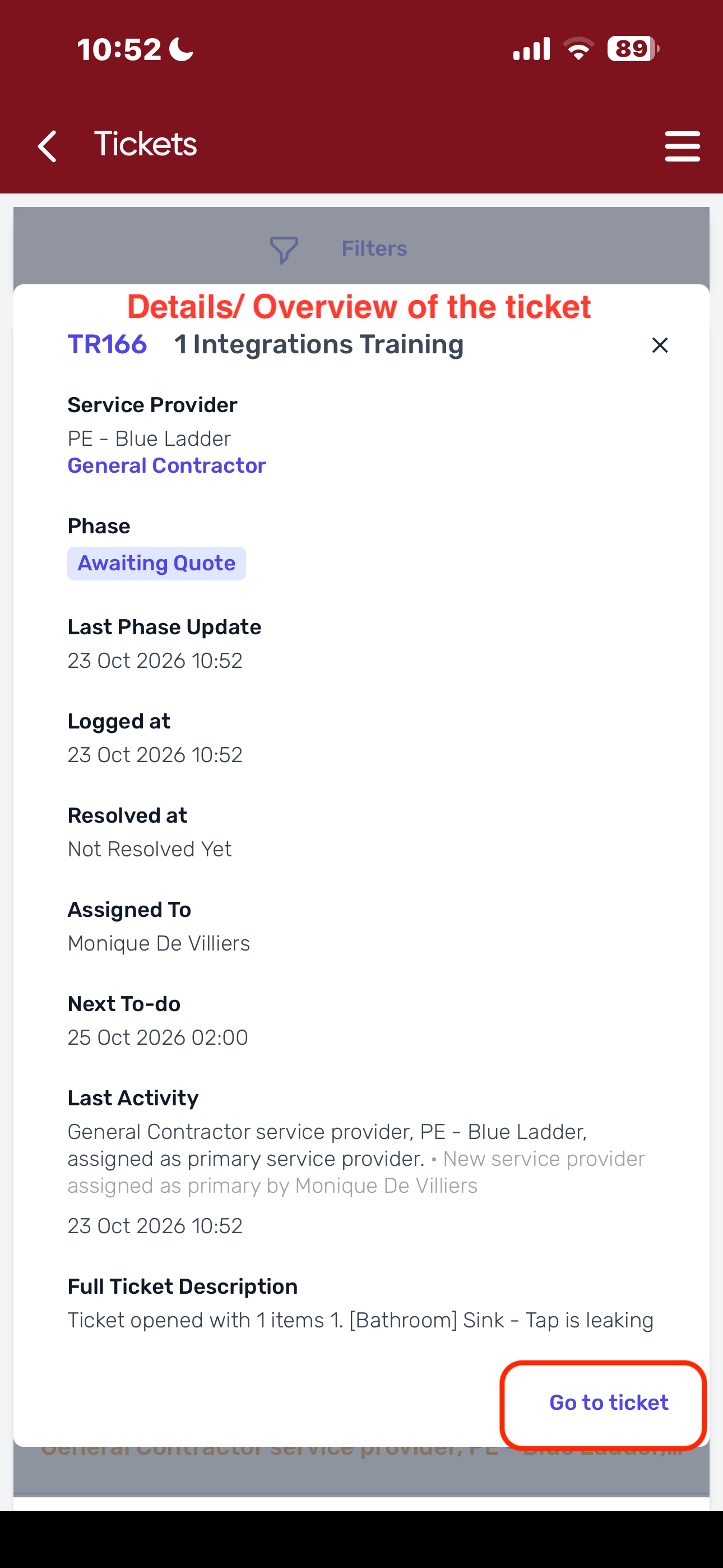
- The Ticket overview will pop up with a breakdown/ details of the ticket, Click on "Go to ticket" in the bottom corner of the window.
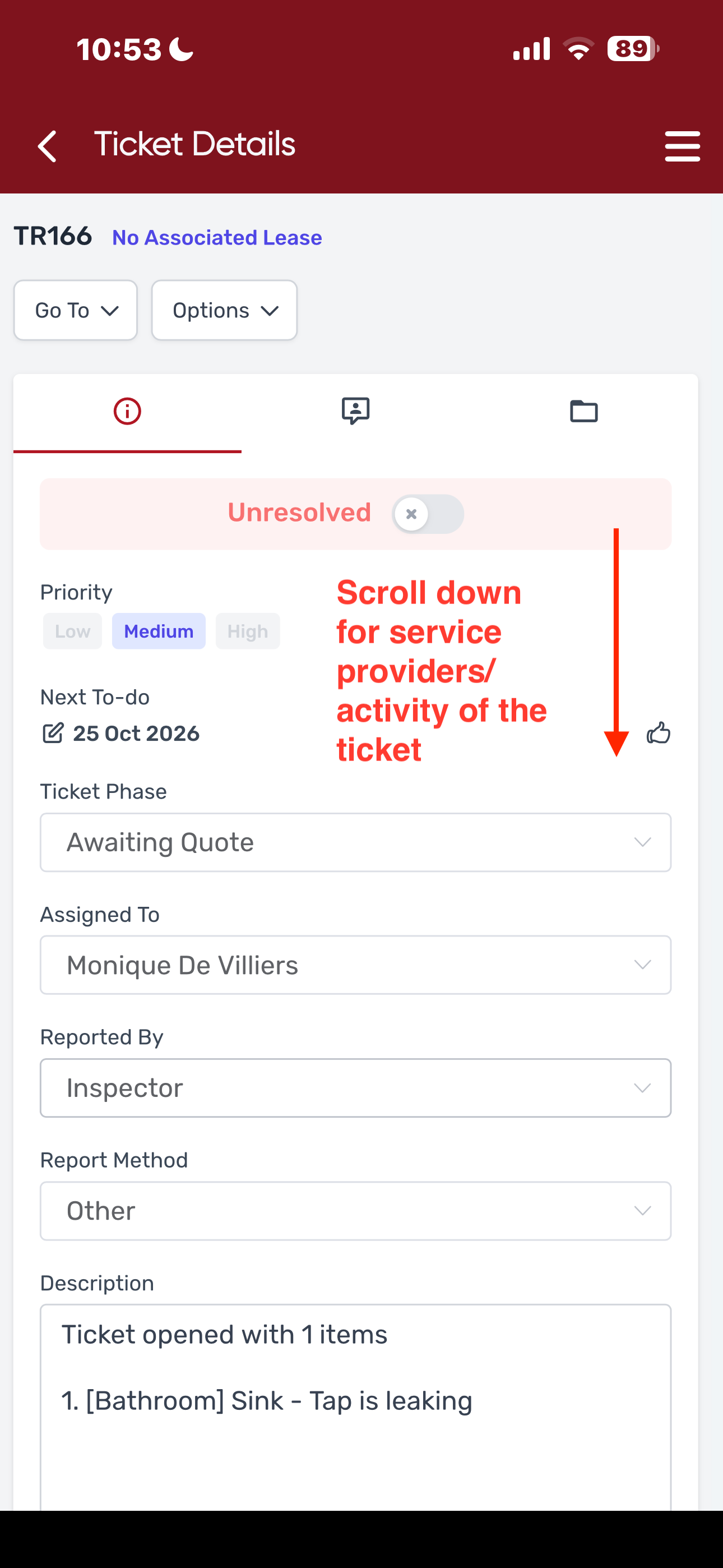
- Changes can be made to the ticket as it works exactly the same as updating a ticket on the RedRabbit portal.
Was this article helpful?
That’s Great!
Thank you for your feedback
Sorry! We couldn't be helpful
Thank you for your feedback
Feedback sent
We appreciate your effort and will try to fix the article